Simple Launcher ← All how-to guides

App Usage Stats

6 steps
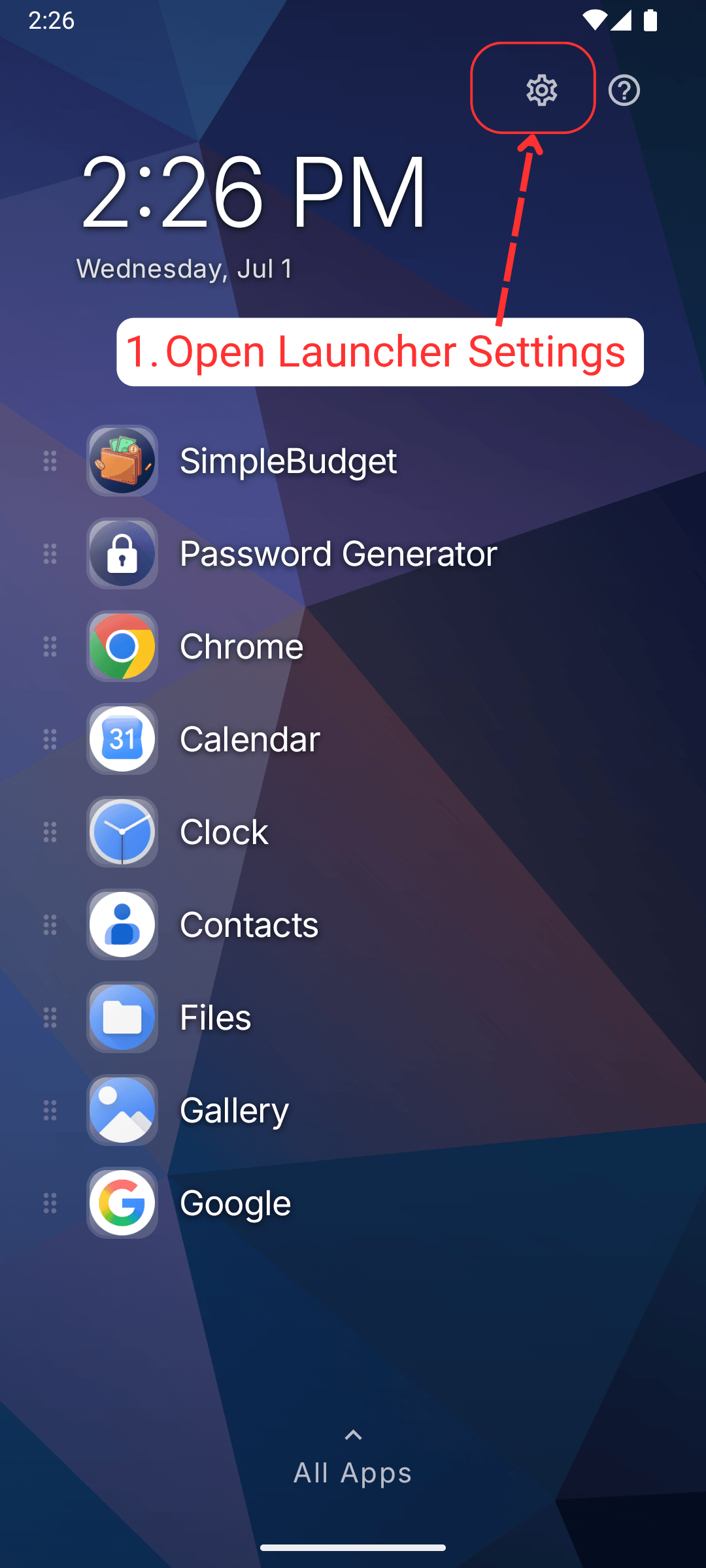
  1. Open launcher settings

    App Usage Stats: Open launcher settings
  2. Click app usage from the settings page
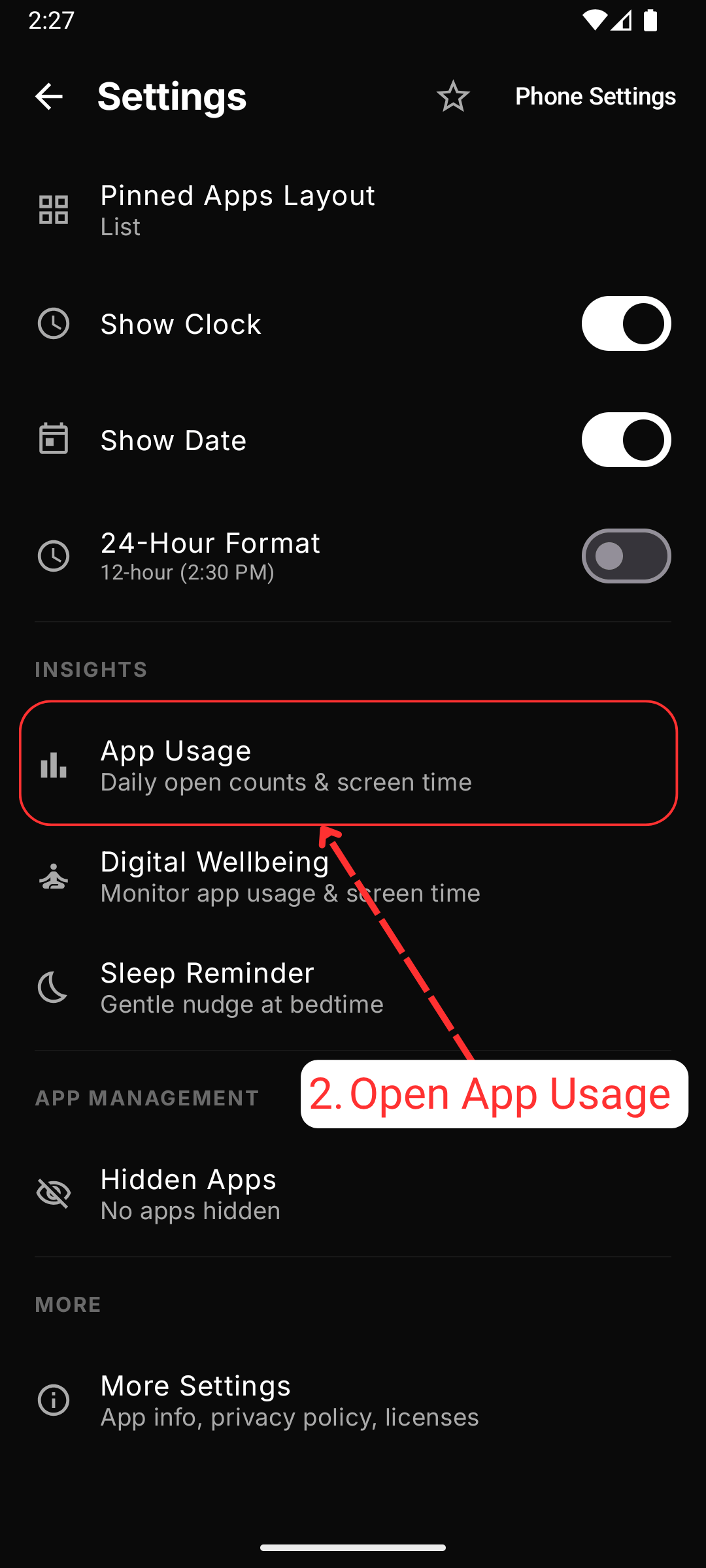
    App Usage Stats: Click app usage from the settings page
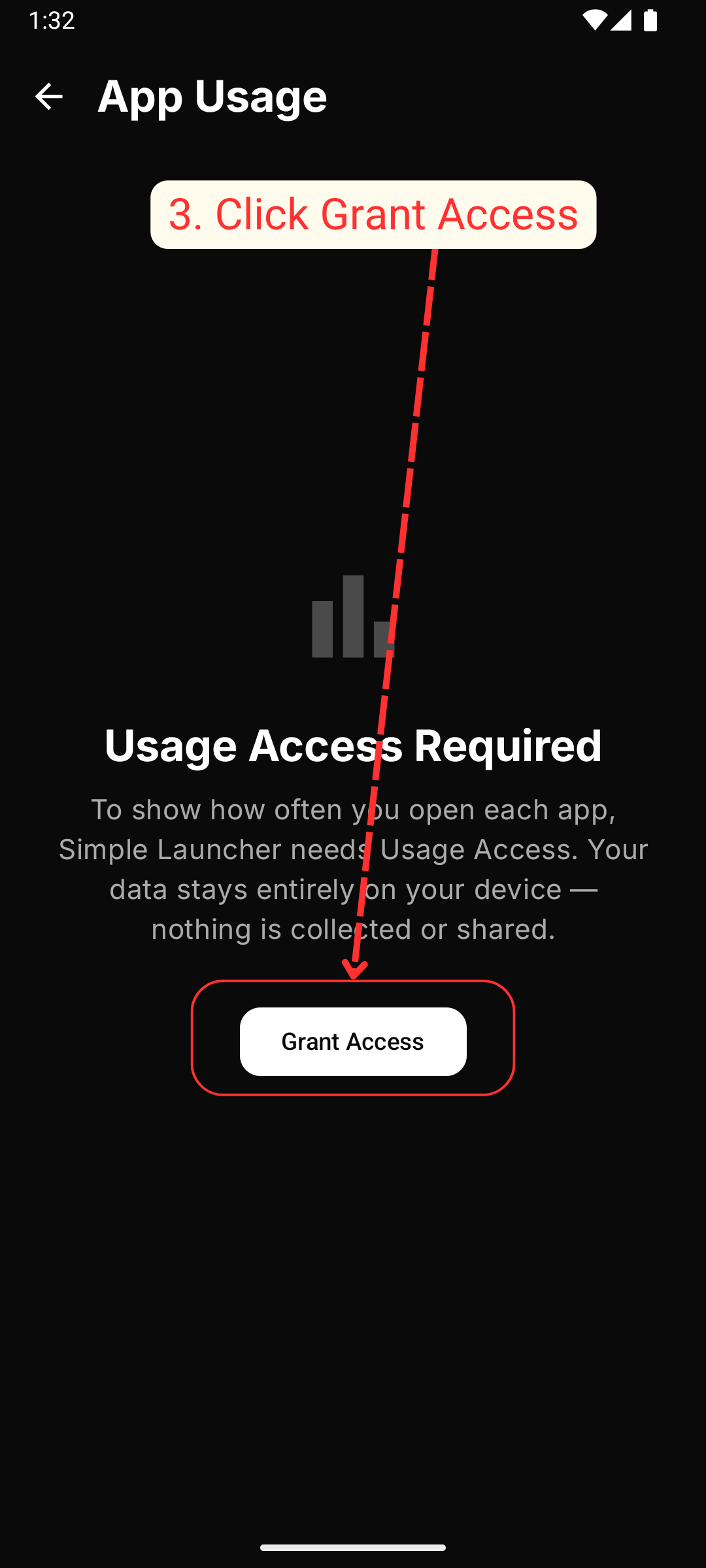
  3. Grant app usage access permission

    App Usage Stats: Grant app usage access permission
  4. Choose Simple Launcher from the apps list
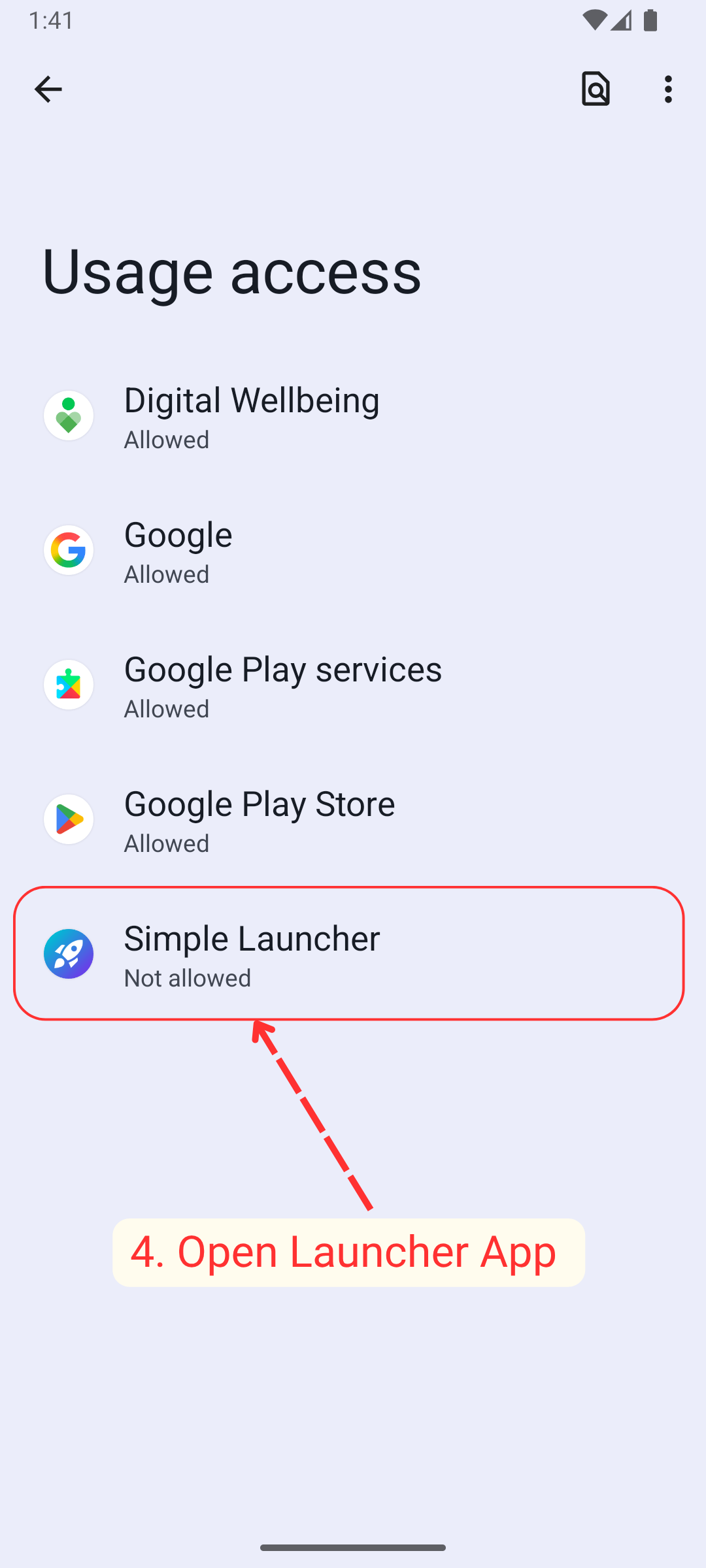
    App Usage Stats: Choose Simple Launcher from the apps list
  5. Click and toggle ON the access permission, you are done.
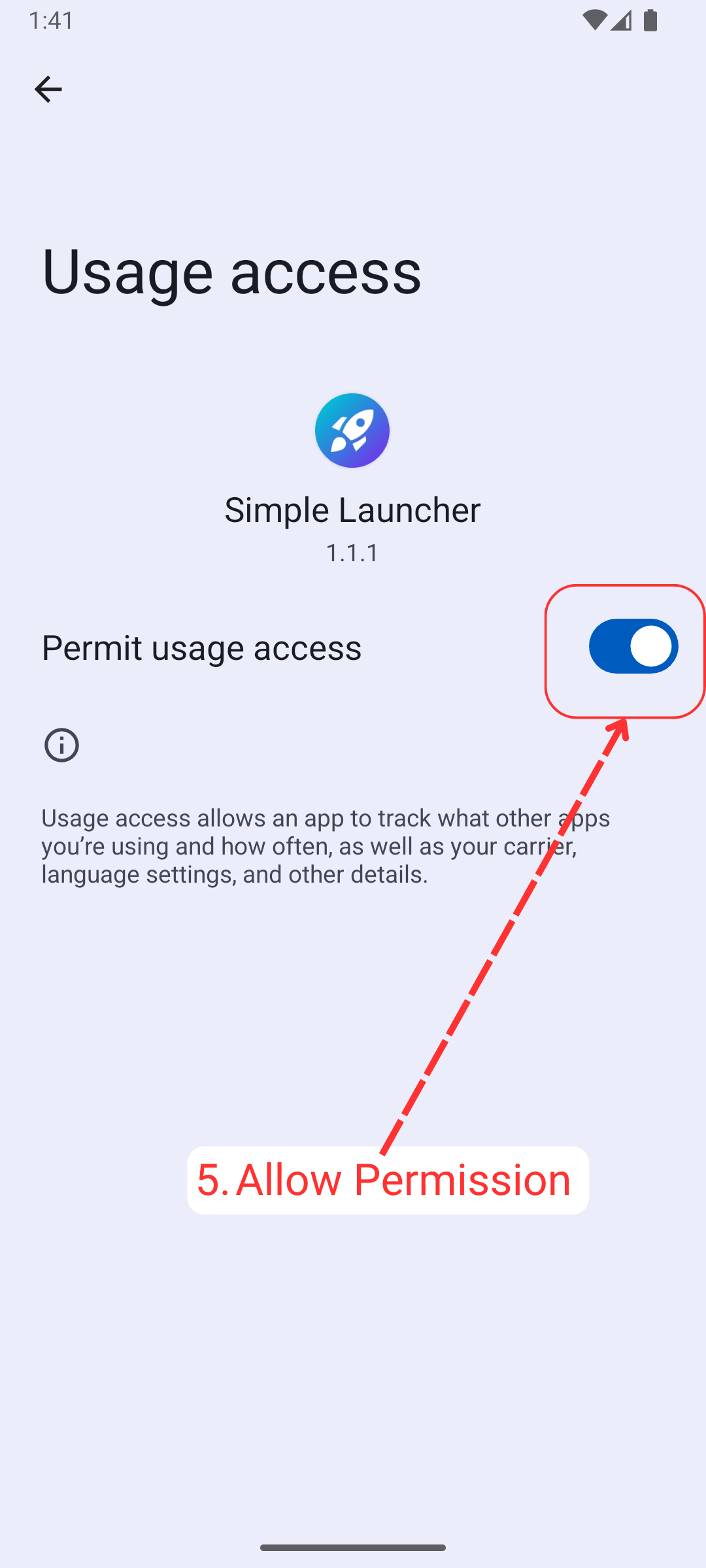
    App Usage Stats: Click and toggle ON the access permission, you are done.
  6. After allowing permission you'll be able to see apps usage stats right away
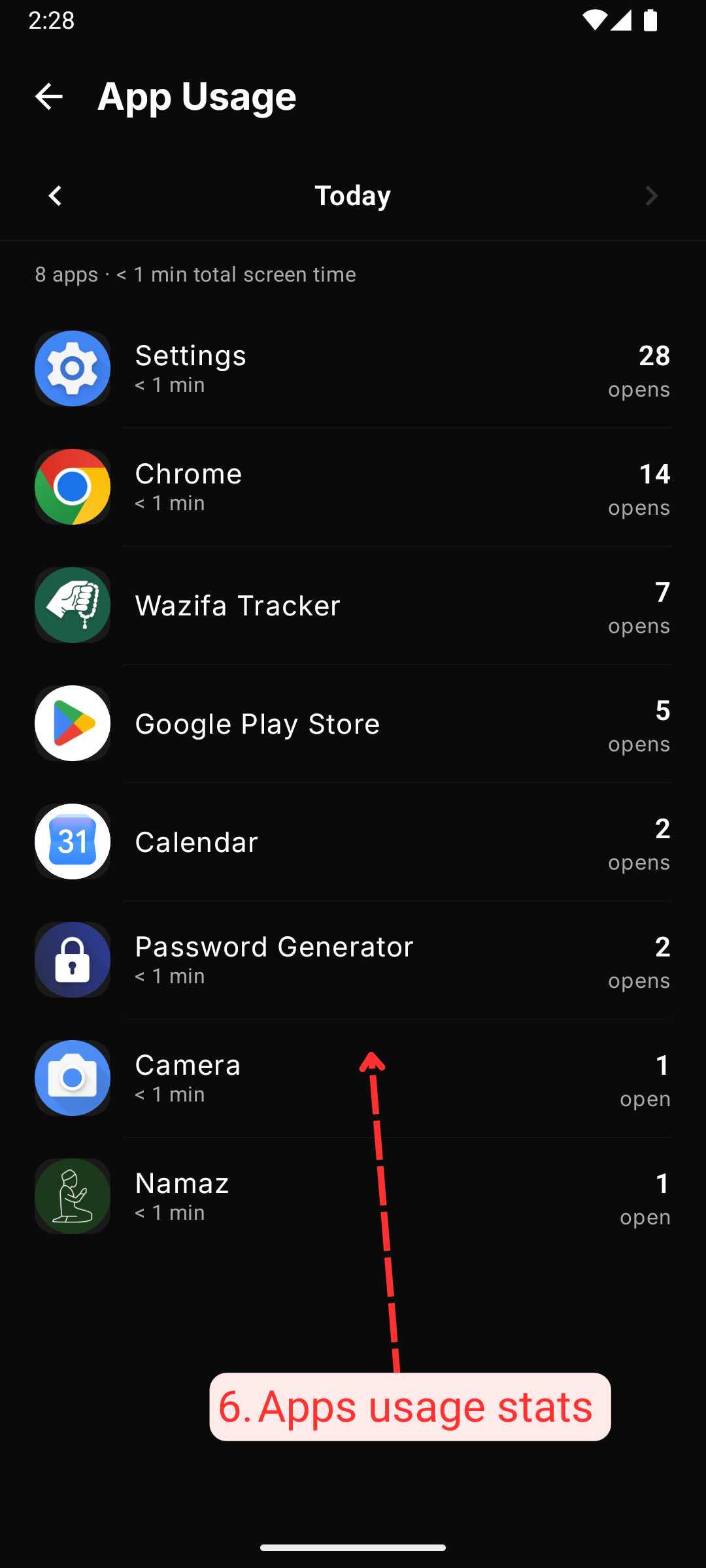
    App Usage Stats: After allowing permission you'll be able to see apps usage stats right away