Simple Launcher ← All how-to guides

Change Pinned Apps

5 steps
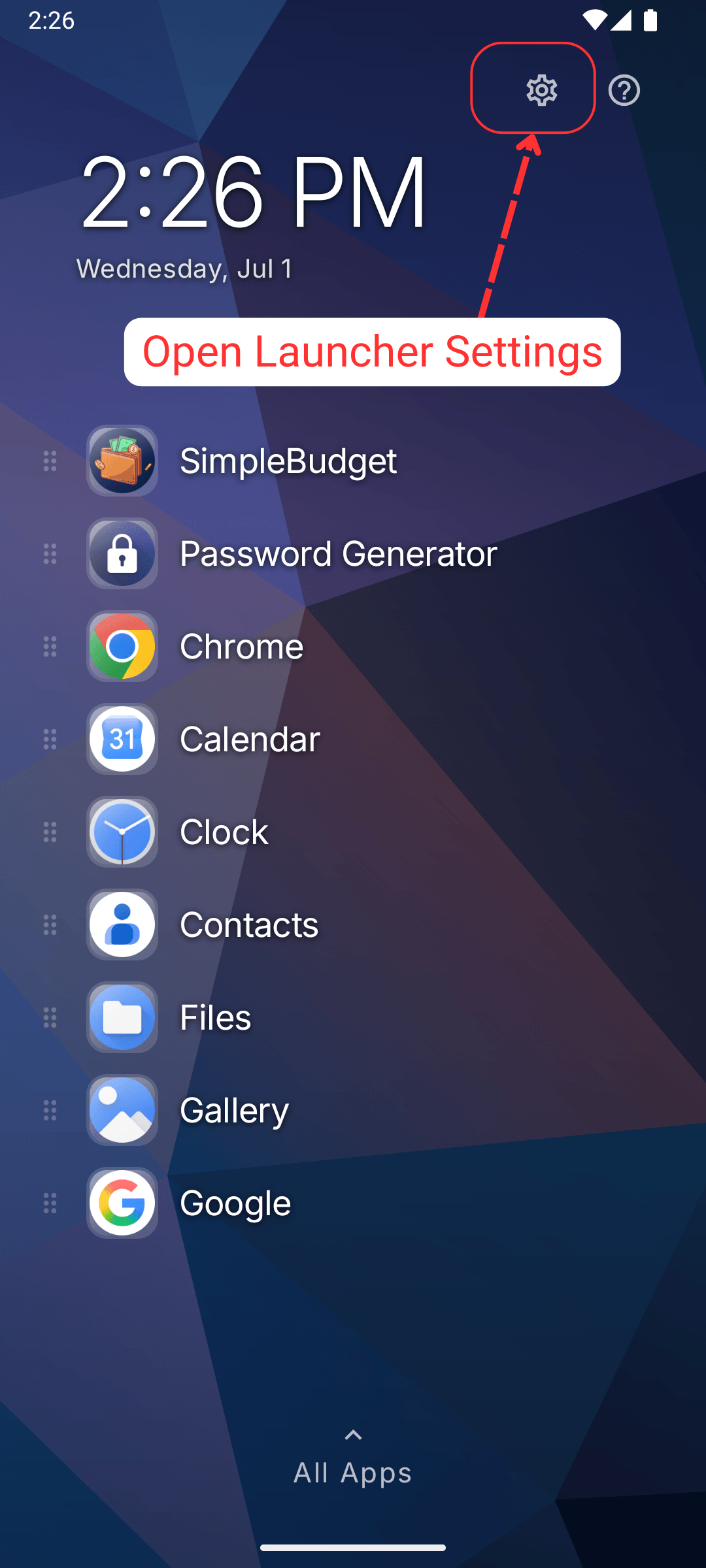
  1. Open Launcher Settings

    Change Pinned Apps: Open Launcher Settings
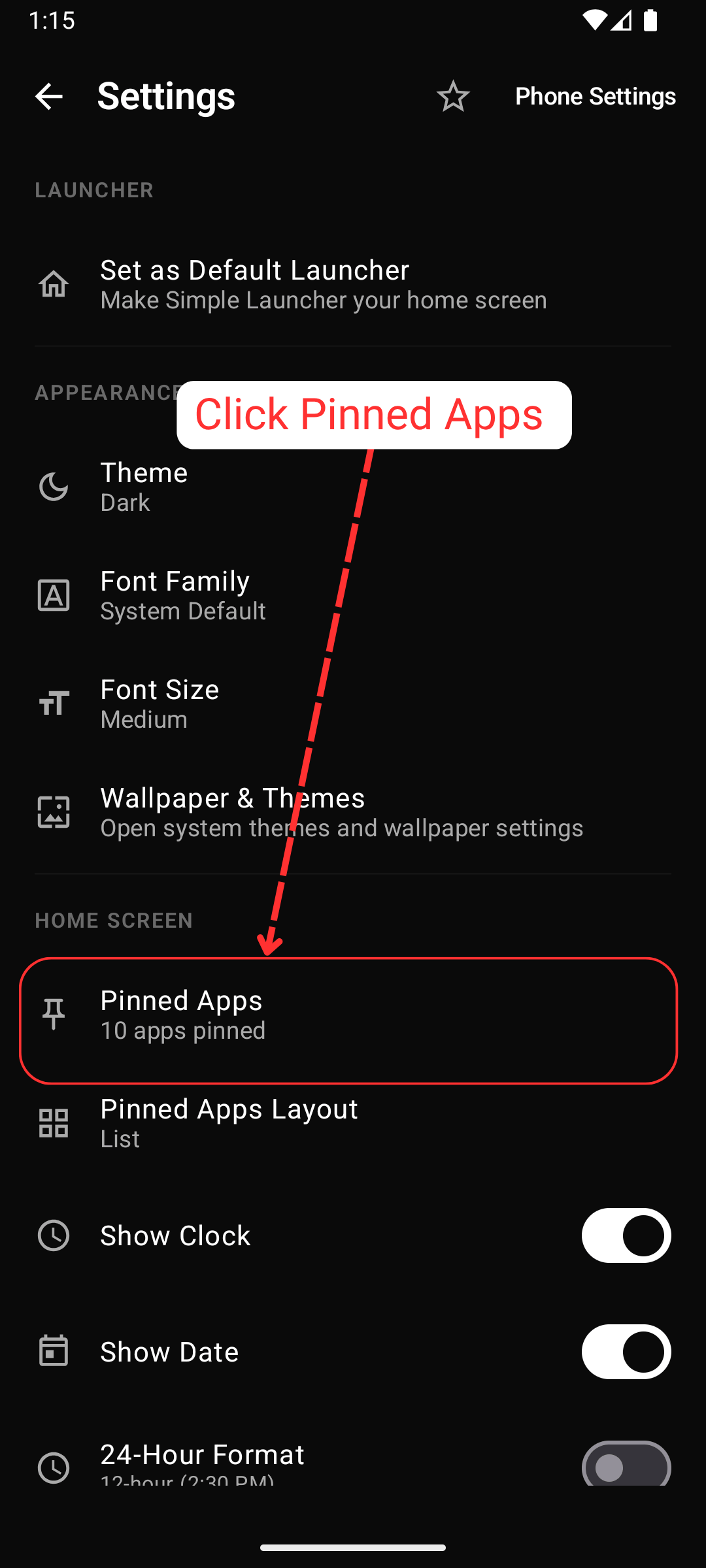
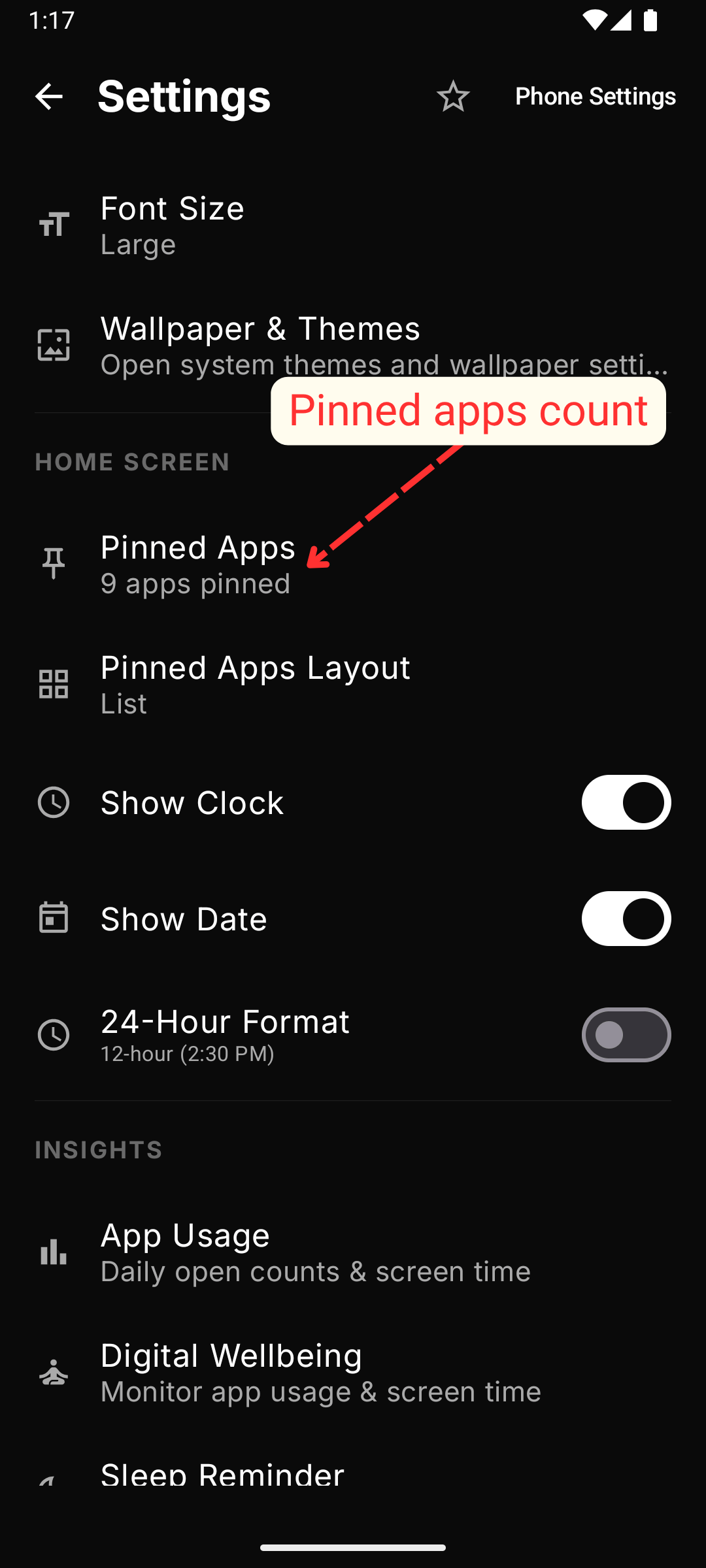
  2. Click pinned Apps

    Change Pinned Apps: Click pinned Apps
  3. If you have already pinned 10 apps you'll see option to change pinned apps
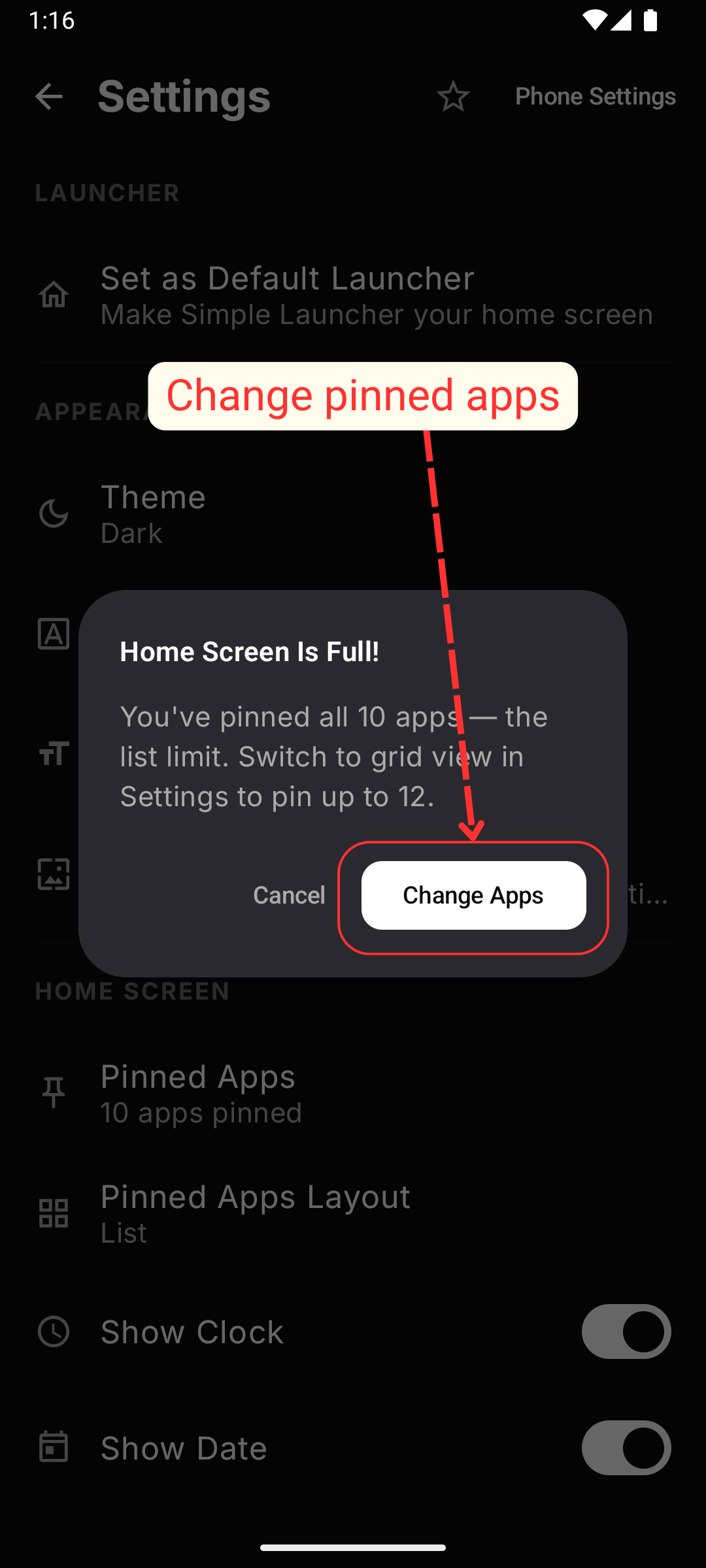
    Change Pinned Apps: If you have already pinned 10 apps you'll see option to change pinned apps
  4. Search, Check, Un-Check apps which you want to Pin, UnPin
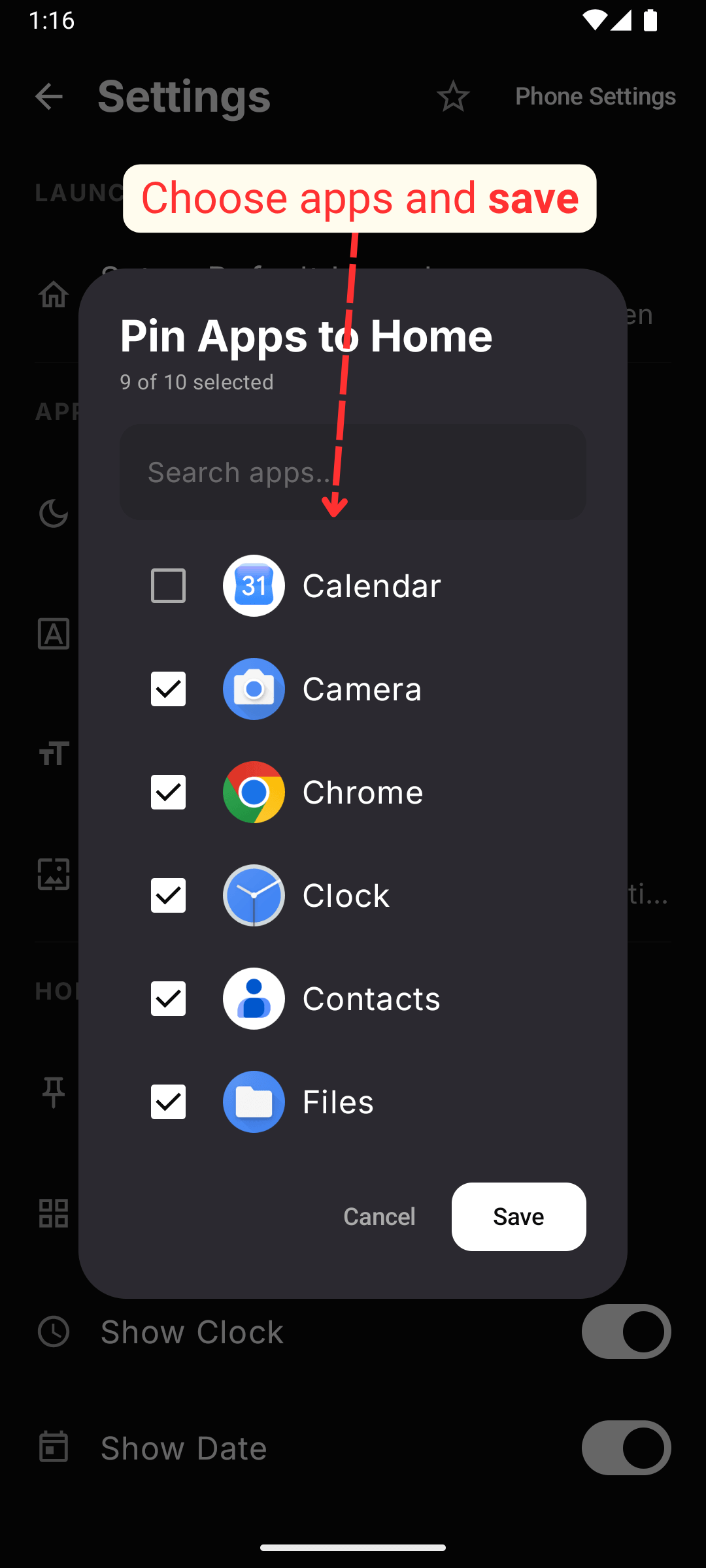
    Change Pinned Apps: Search, Check, Un-Check apps which you want to Pin, UnPin
  5. Your pinned apps would be updated and you can see on launcher home
    Change Pinned Apps: Your pinned apps would be updated and you can see on launcher home