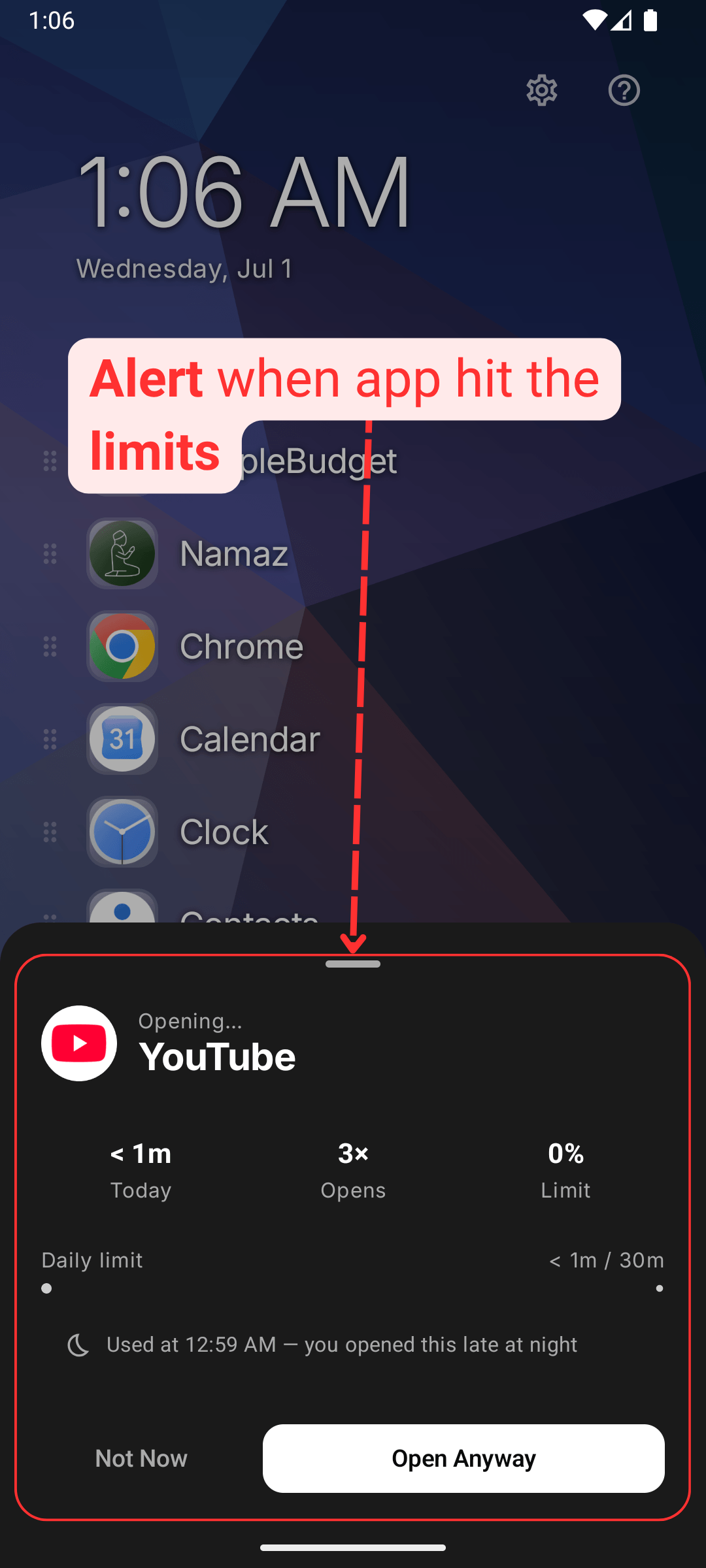
Digital Wellbeing
-
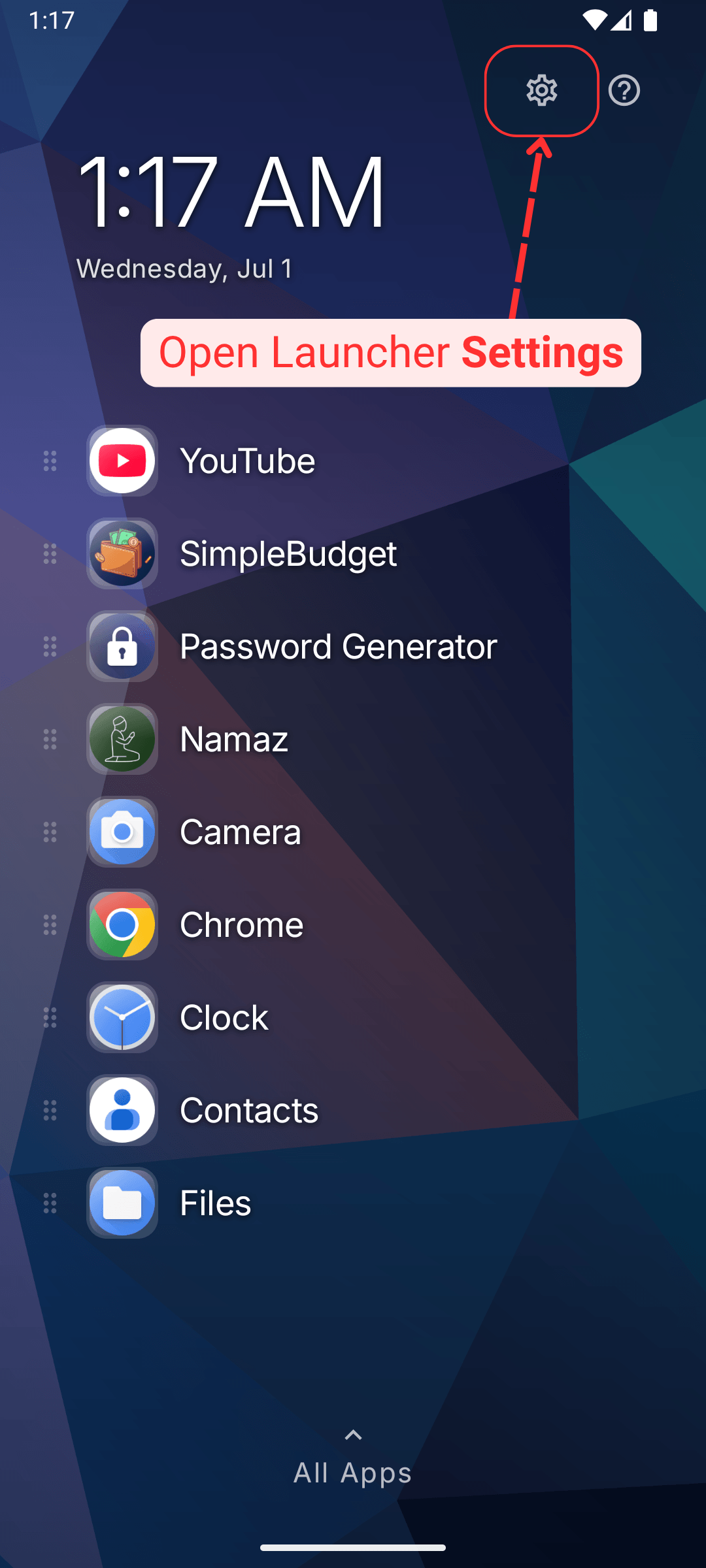
Open launcher settings
-
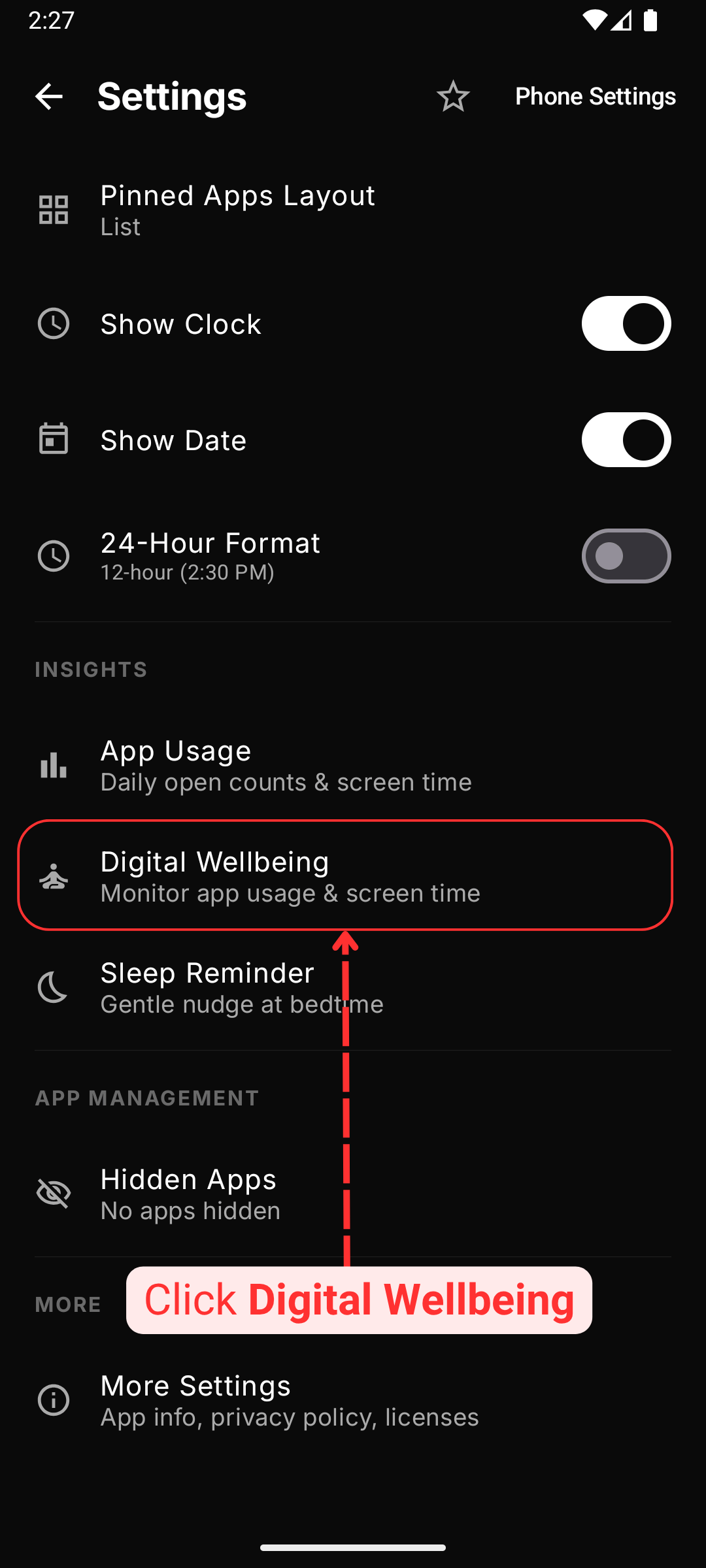
Click Digital Wellbeing from the settings
-
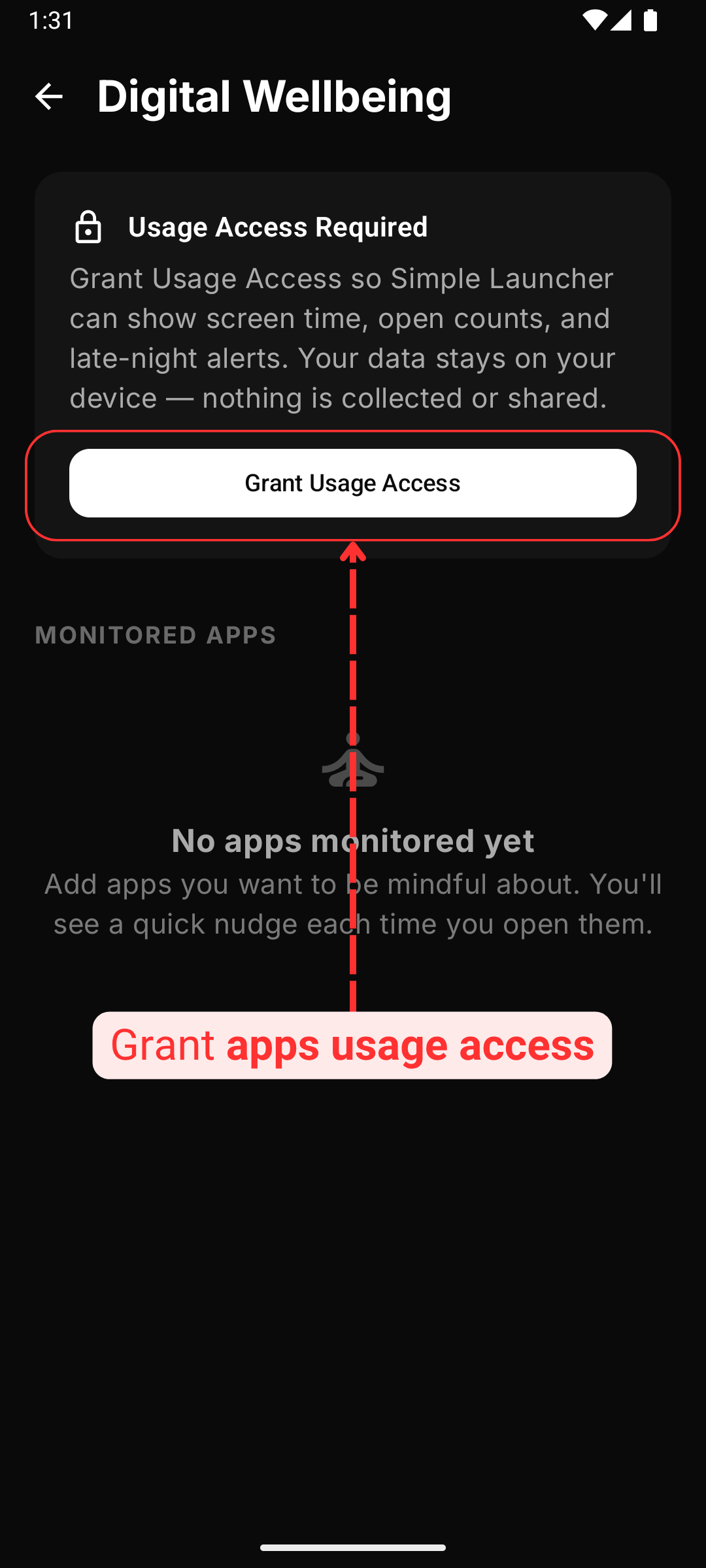
Grant app usage access permission to continue
-
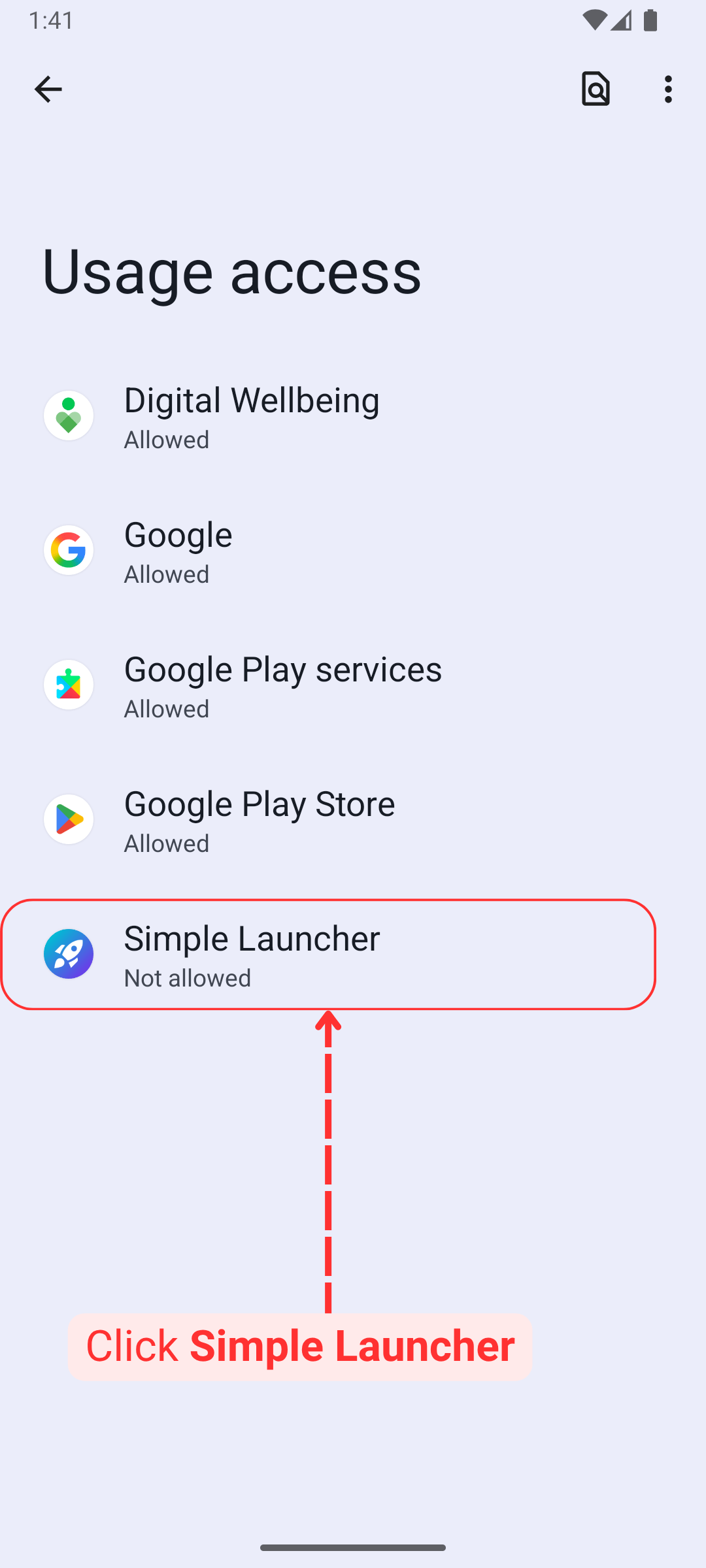
Choose Simple Launcher from the list
-
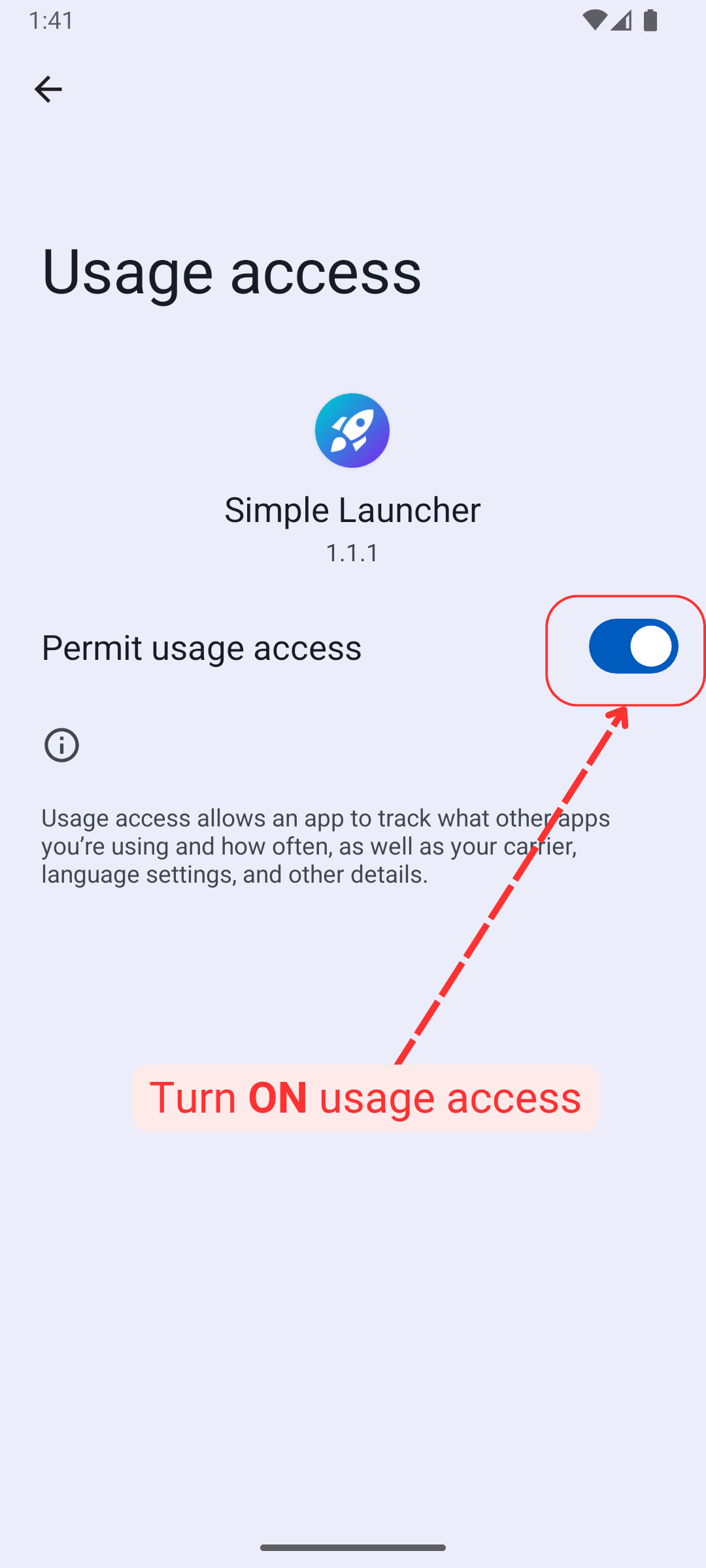
Toggle ON usage access permission
-
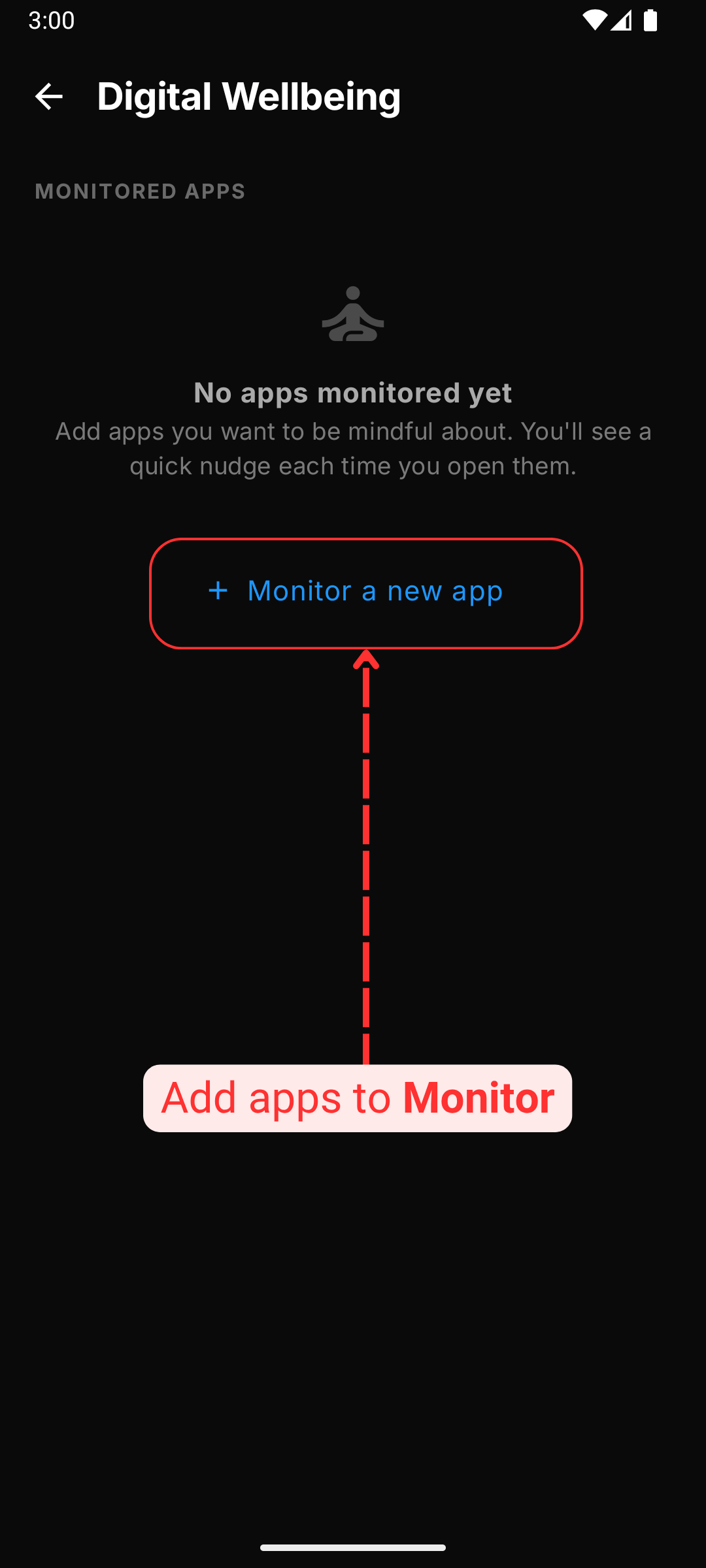
You can add apps to monitor
-
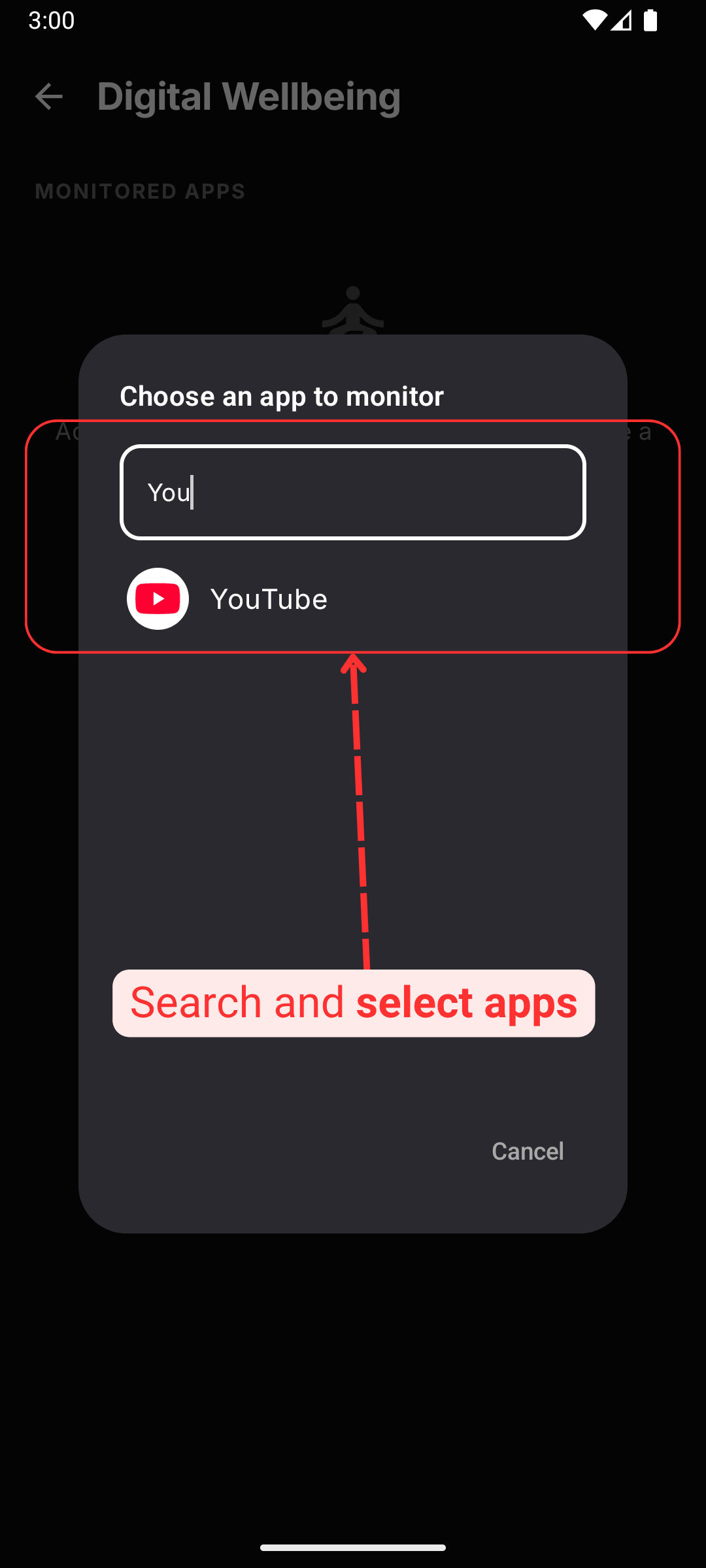
Search from the available apps and click
-
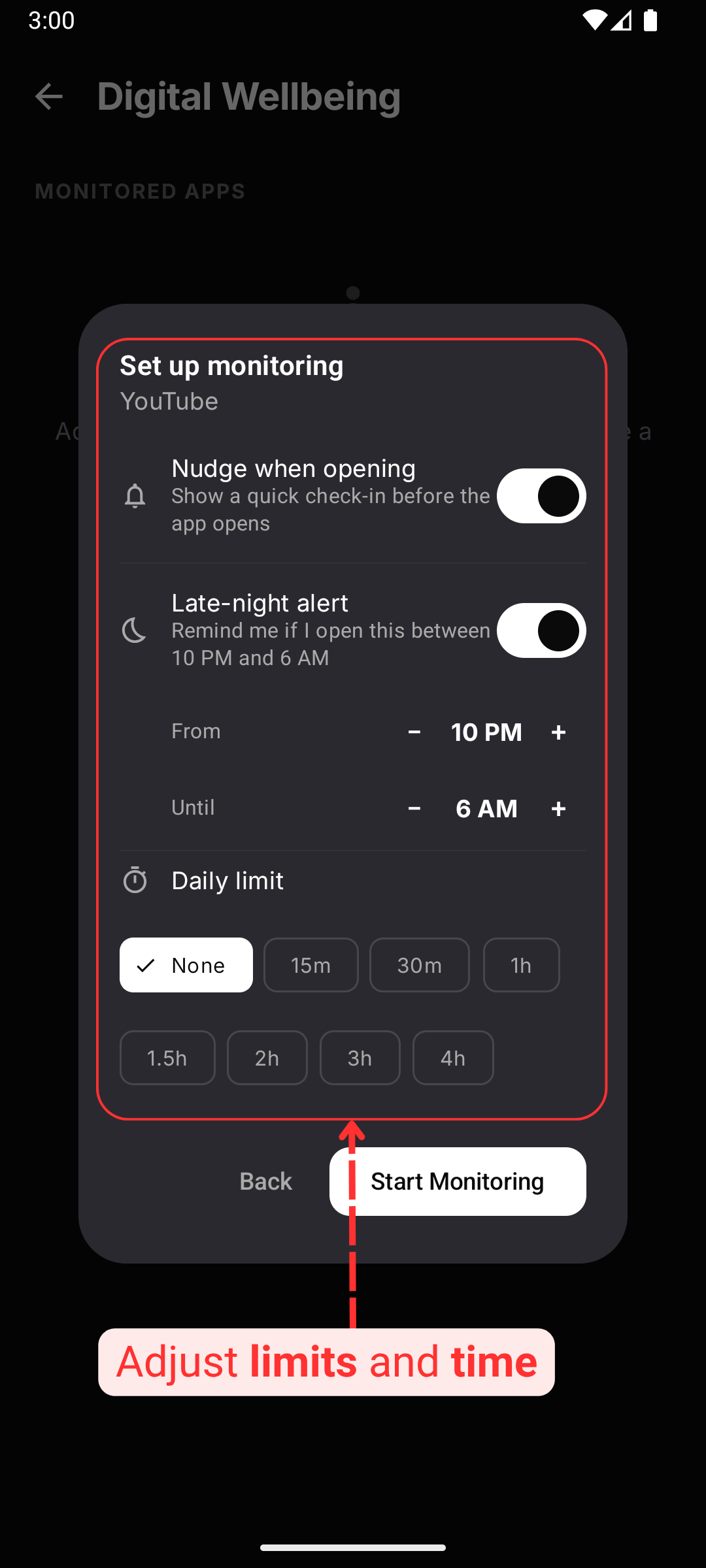
Keep alerts ON, set the time frame and start monitoring
-
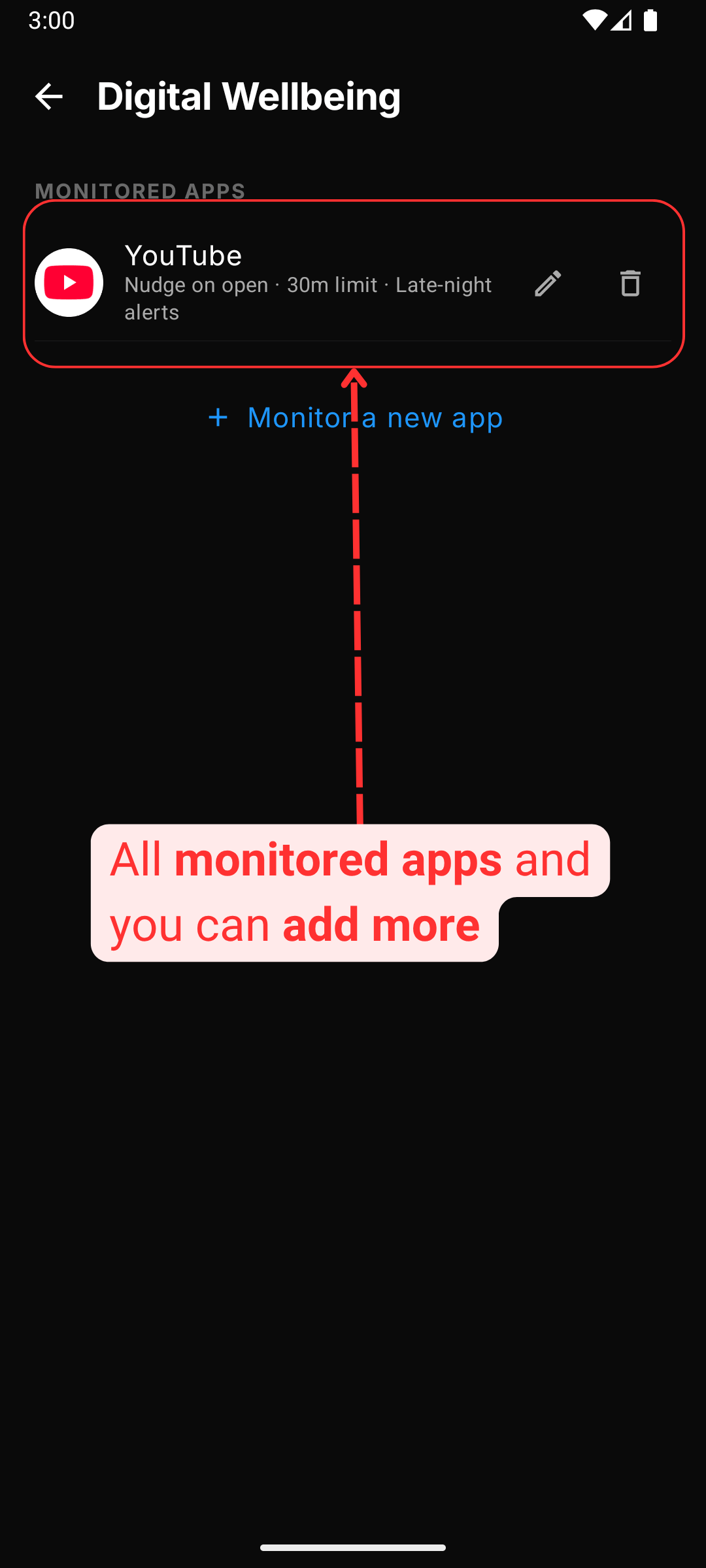
You have successfully added app to monitor
-
You'll get a gentle reminder when the app usage limit reached