Simple Launcher ← All how-to guides

Display Pinned Apps as List or Grid

5 steps
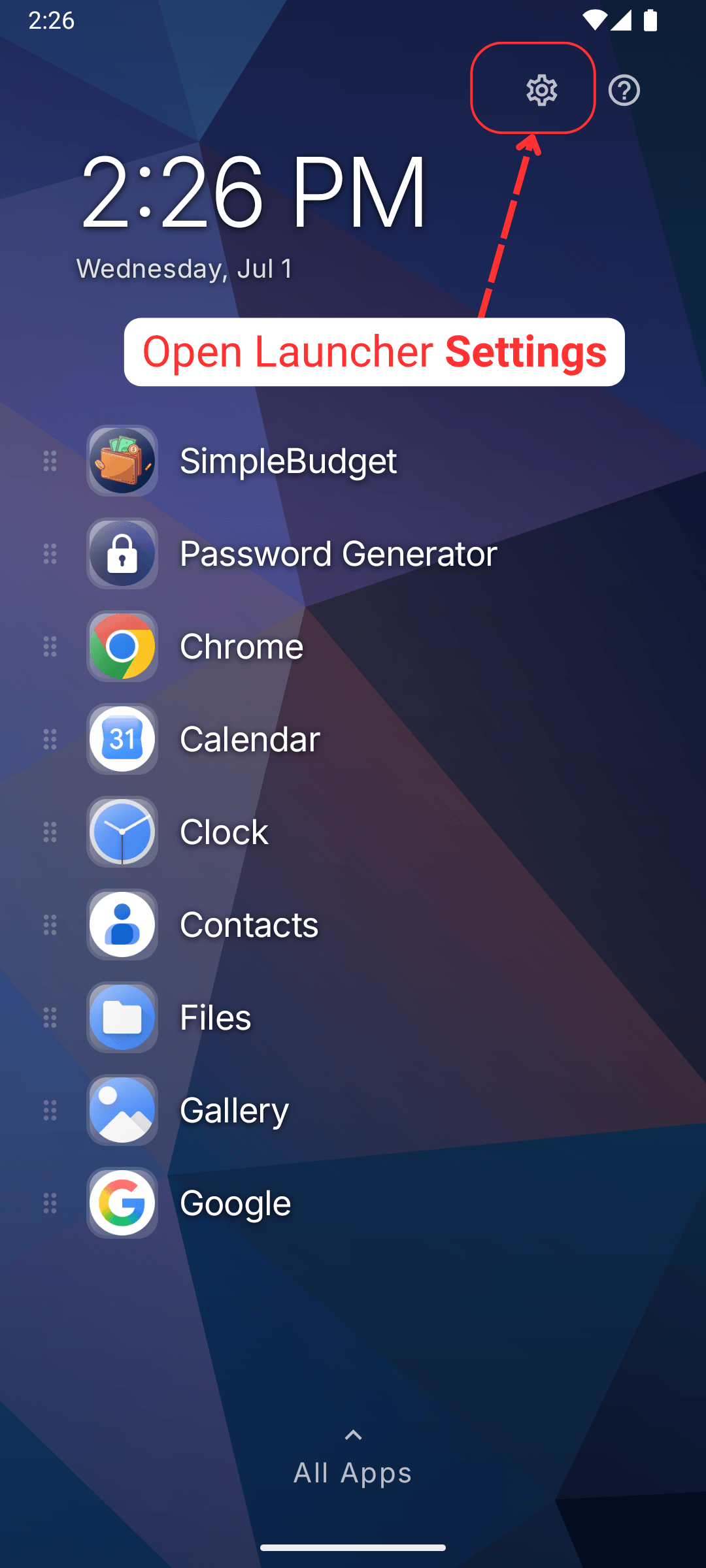
  1. Open Launcher Settings

    Display Pinned Apps as List or Grid: Open Launcher Settings
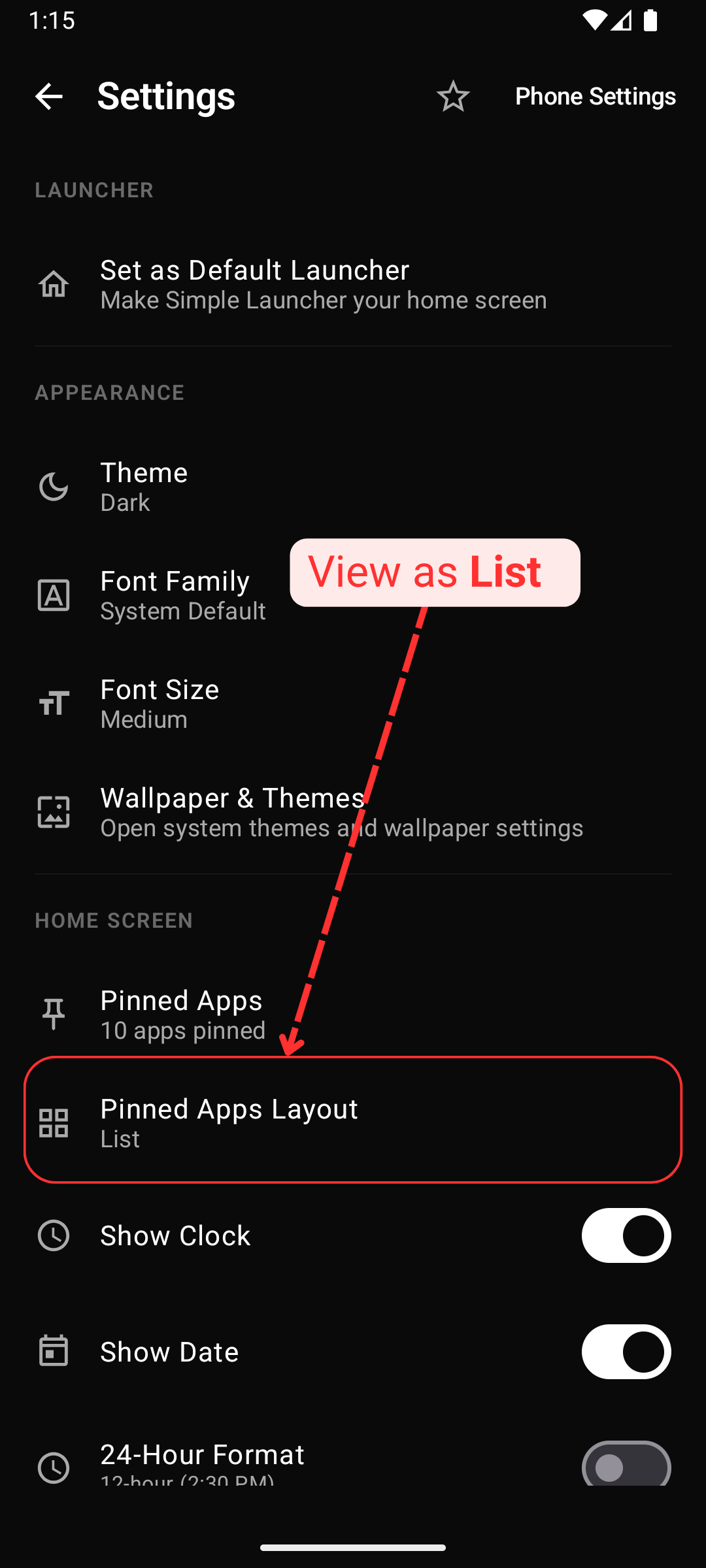
  2. Pinned apps as List

    Display Pinned Apps as List or Grid: Pinned apps as List
  3. Launcher home with pinned apps as List
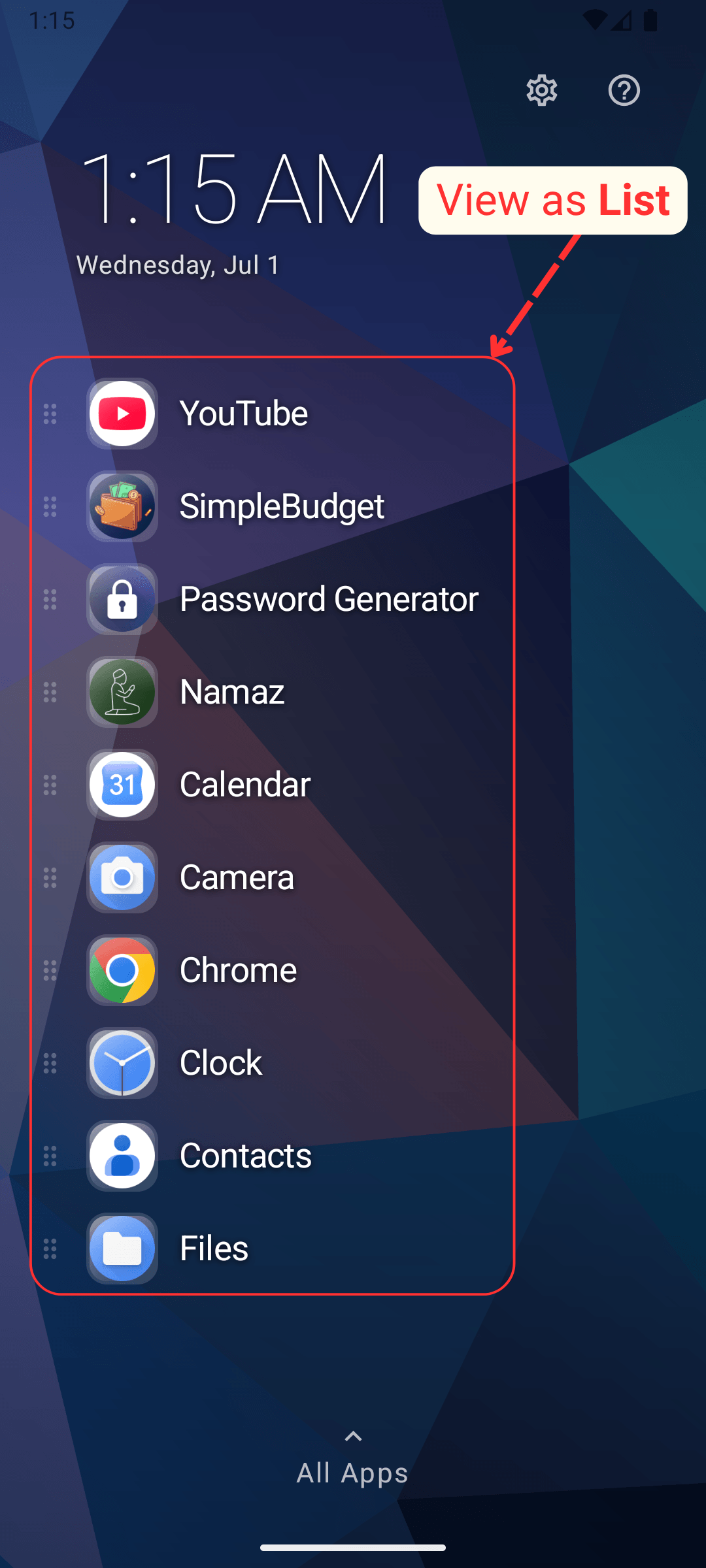
    Display Pinned Apps as List or Grid: Launcher home with pinned apps as List
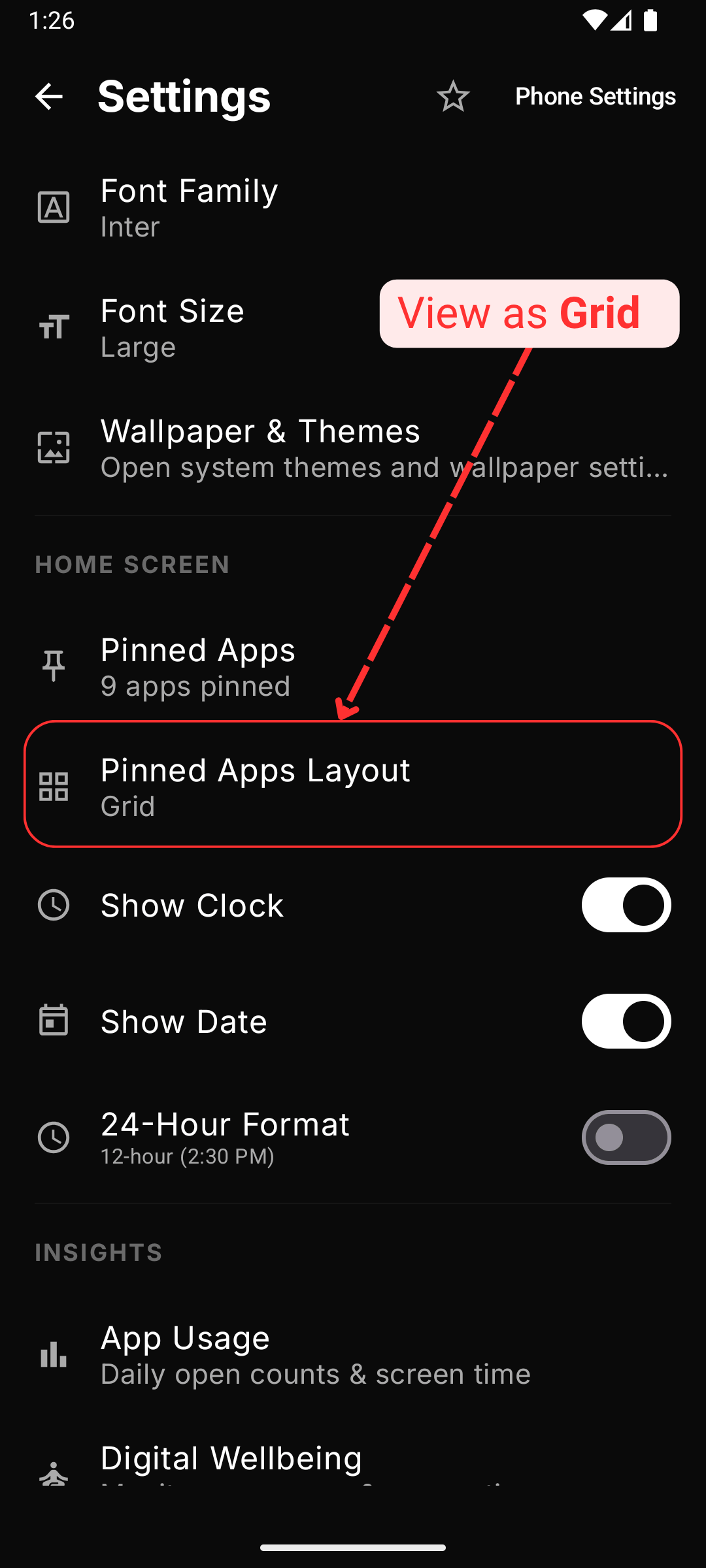
  4. Pinned apps as Grid

    Display Pinned Apps as List or Grid: Pinned apps as Grid
  5. Launcher home with pinned apps as Grid
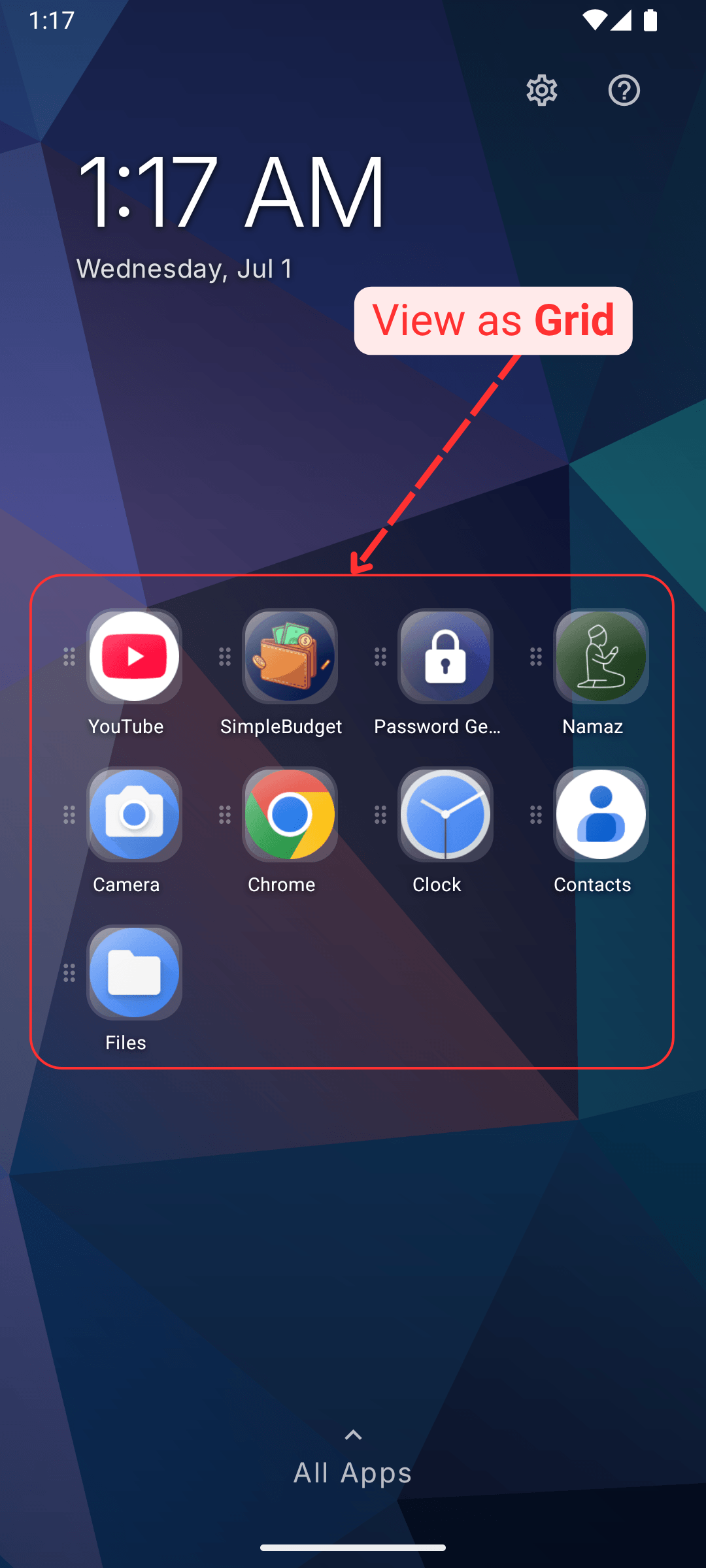
    Display Pinned Apps as List or Grid: Launcher home with pinned apps as Grid