Simple Launcher ← All how-to guides

General Setup

9 steps
  1. Search, pin your favourite apps and save
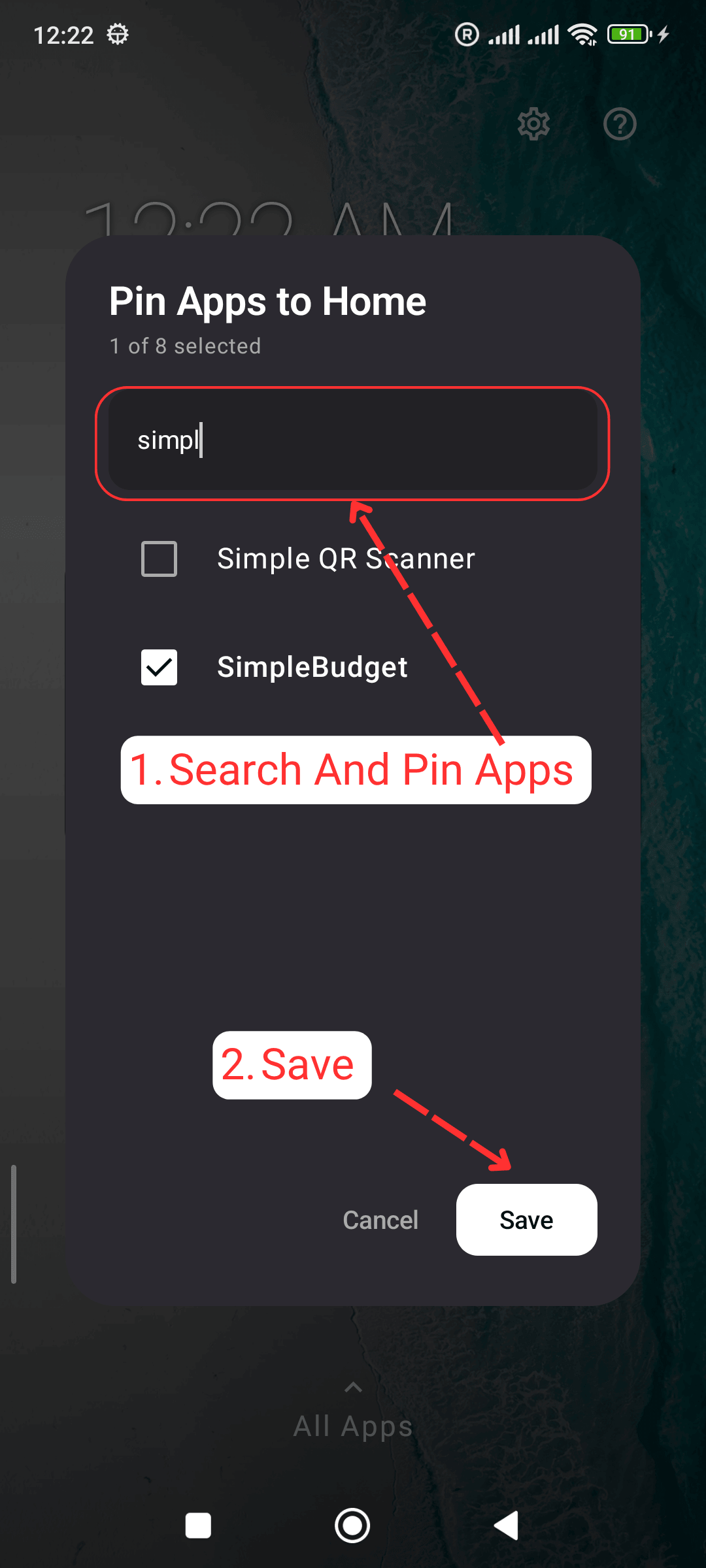
    General Setup: Search, pin your favourite apps and save
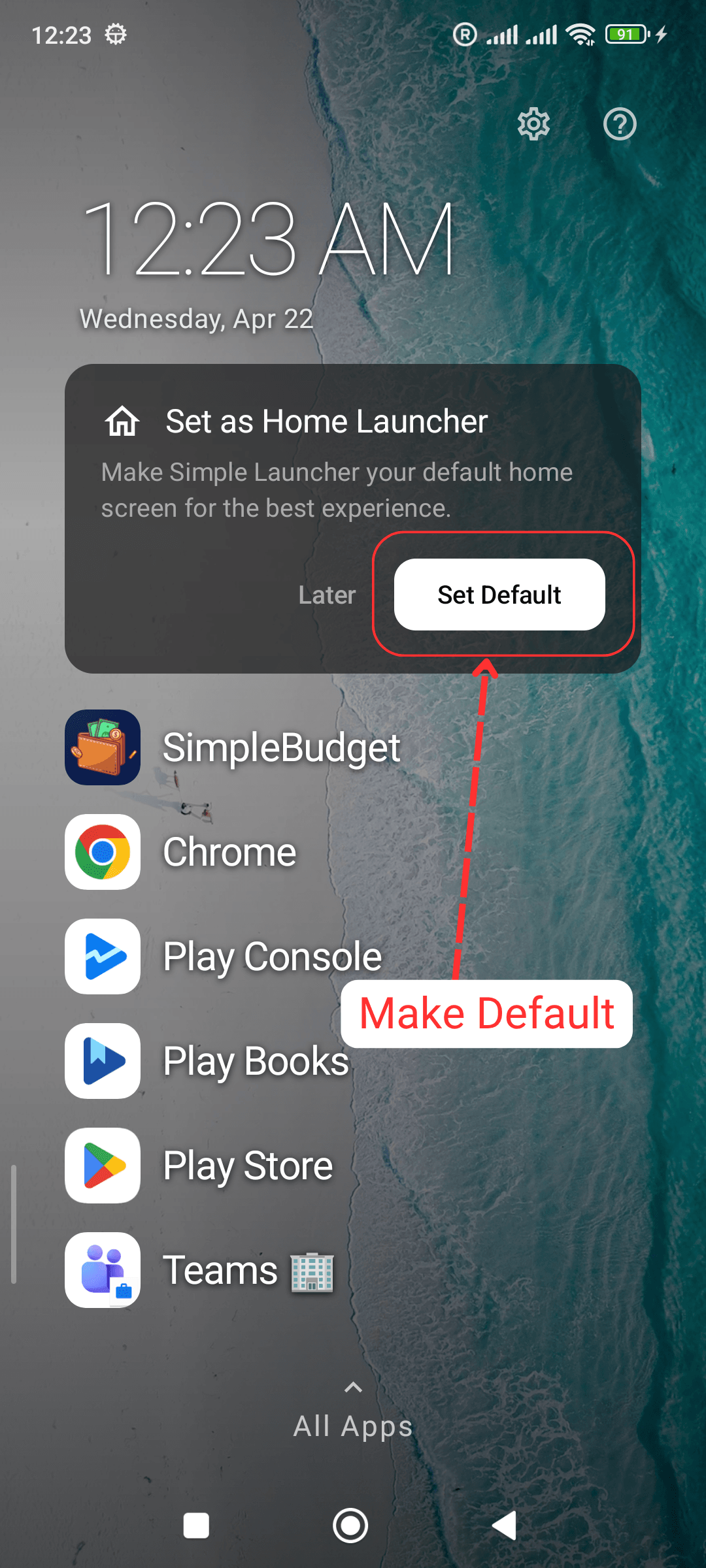
  2. Change your default launcher

    General Setup: Change your default launcher
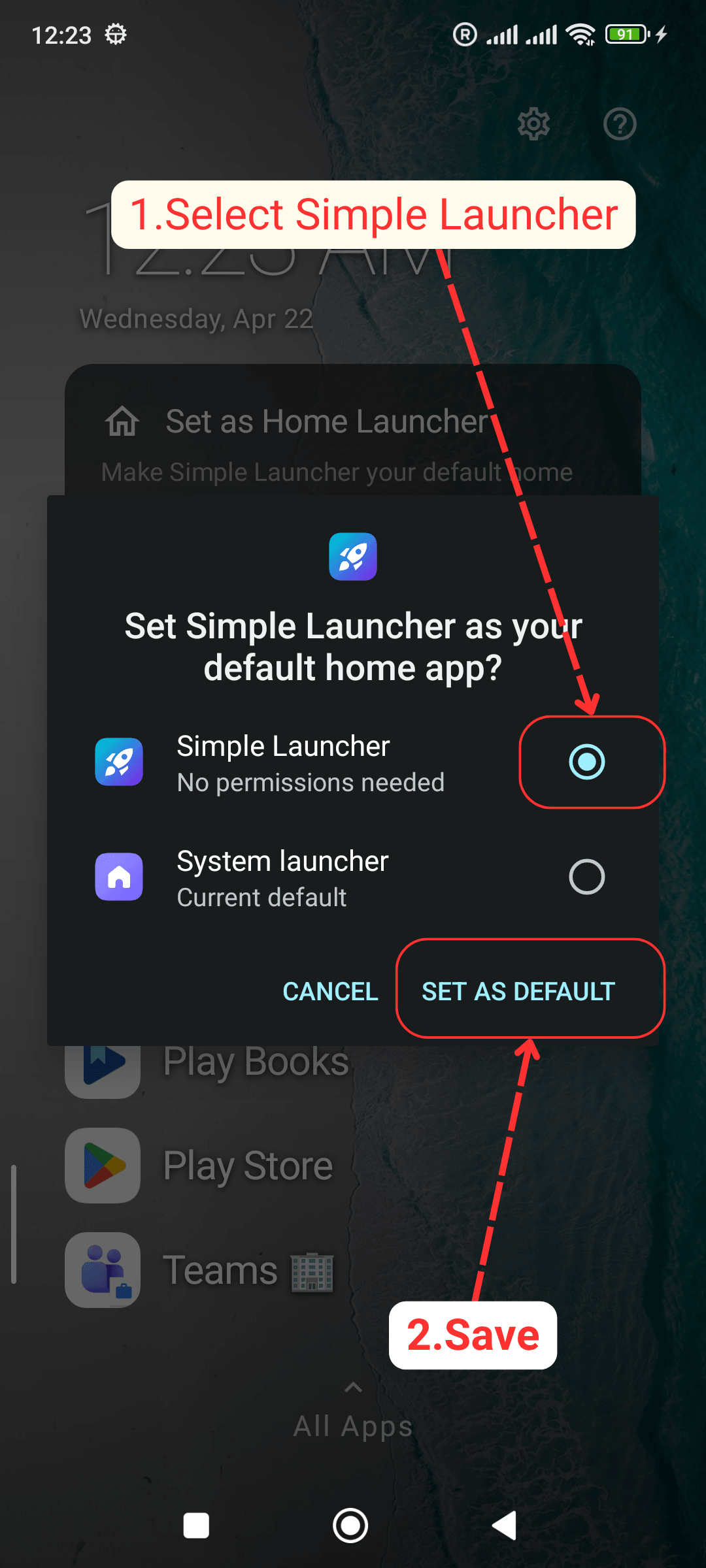
  3. Choose Simple Launcher and Save

    General Setup: Choose Simple Launcher and Save
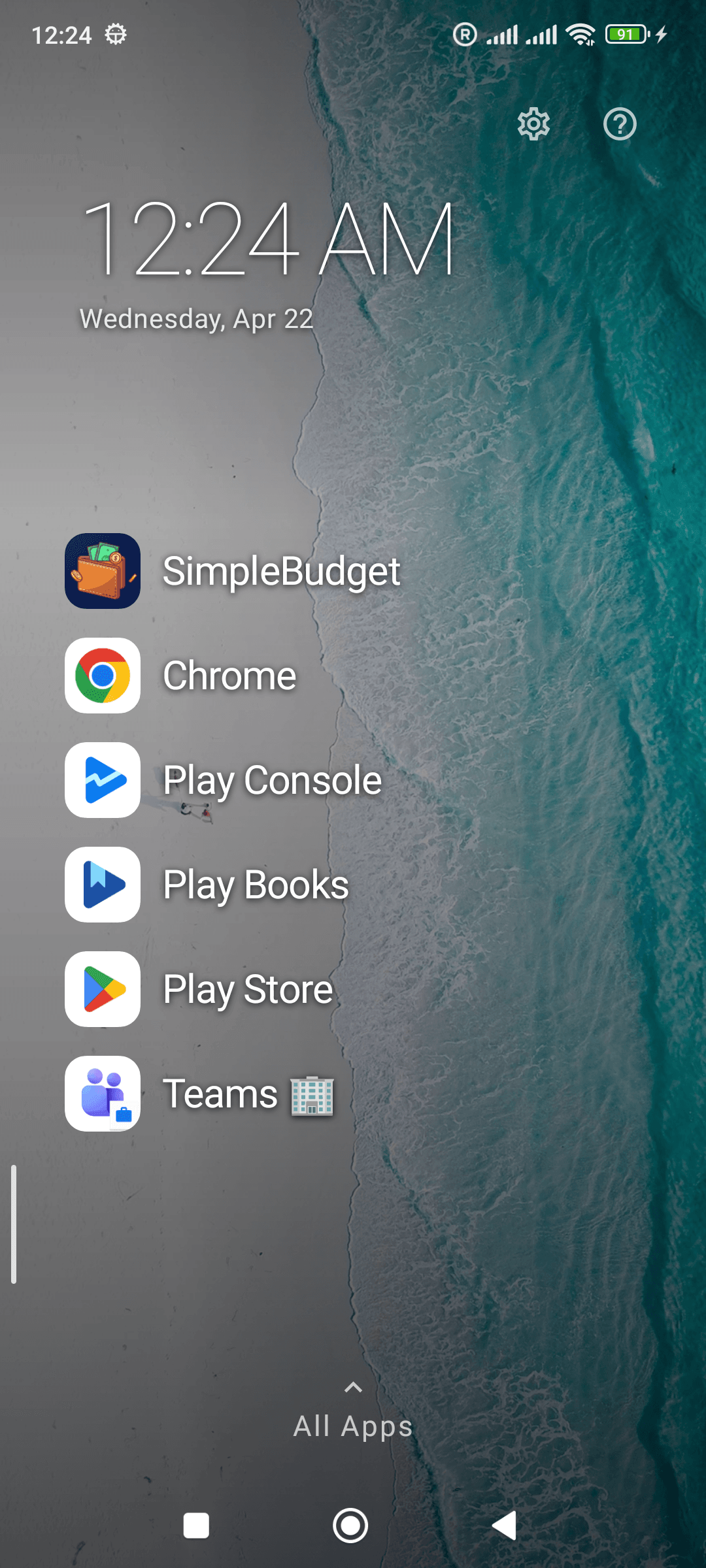
  4. You can see your pinned apps

    General Setup: You can see your pinned apps
  5. Swipe up or Click 'All Apps' to see other apps
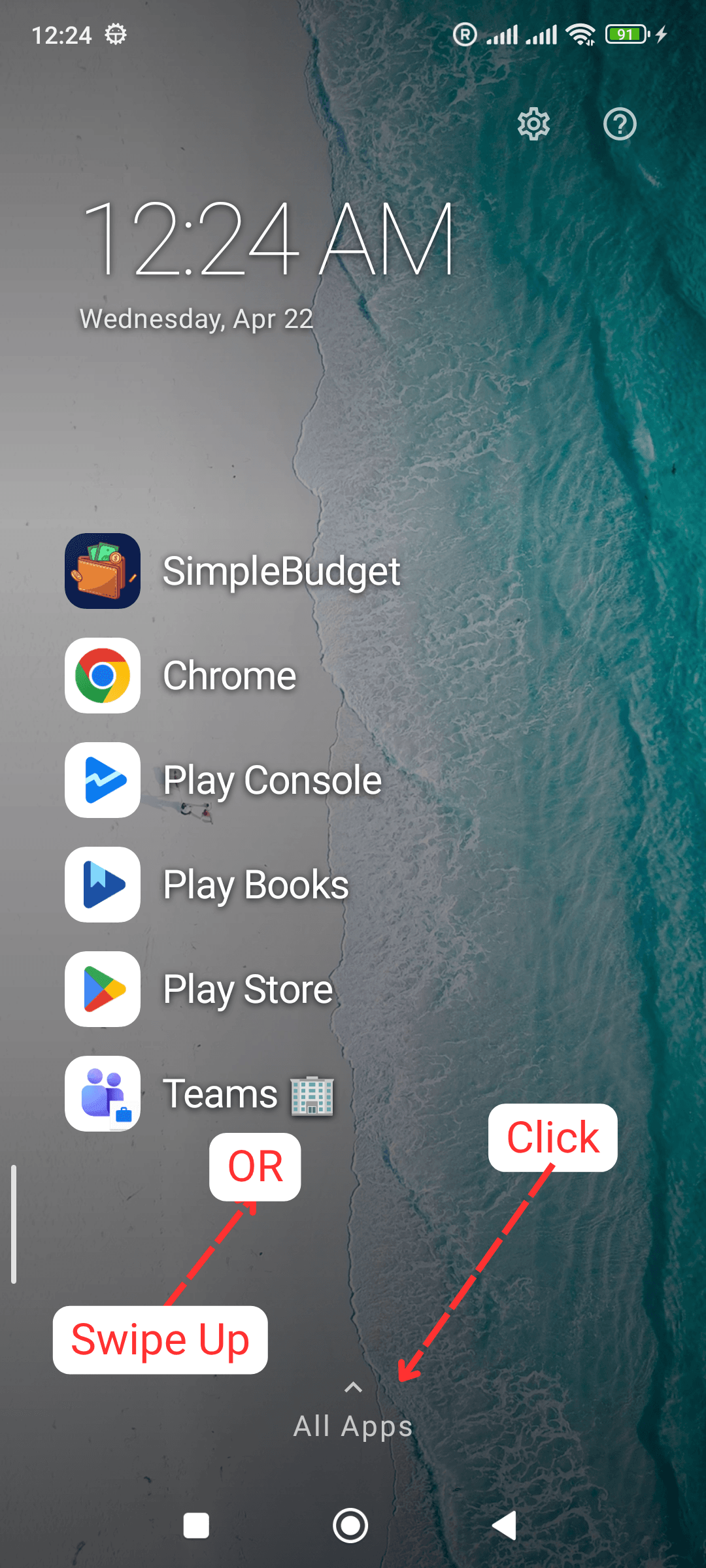
    General Setup: Swipe up or Click 'All Apps' to see other apps
  6. Search your apps or Slide and pick it fast
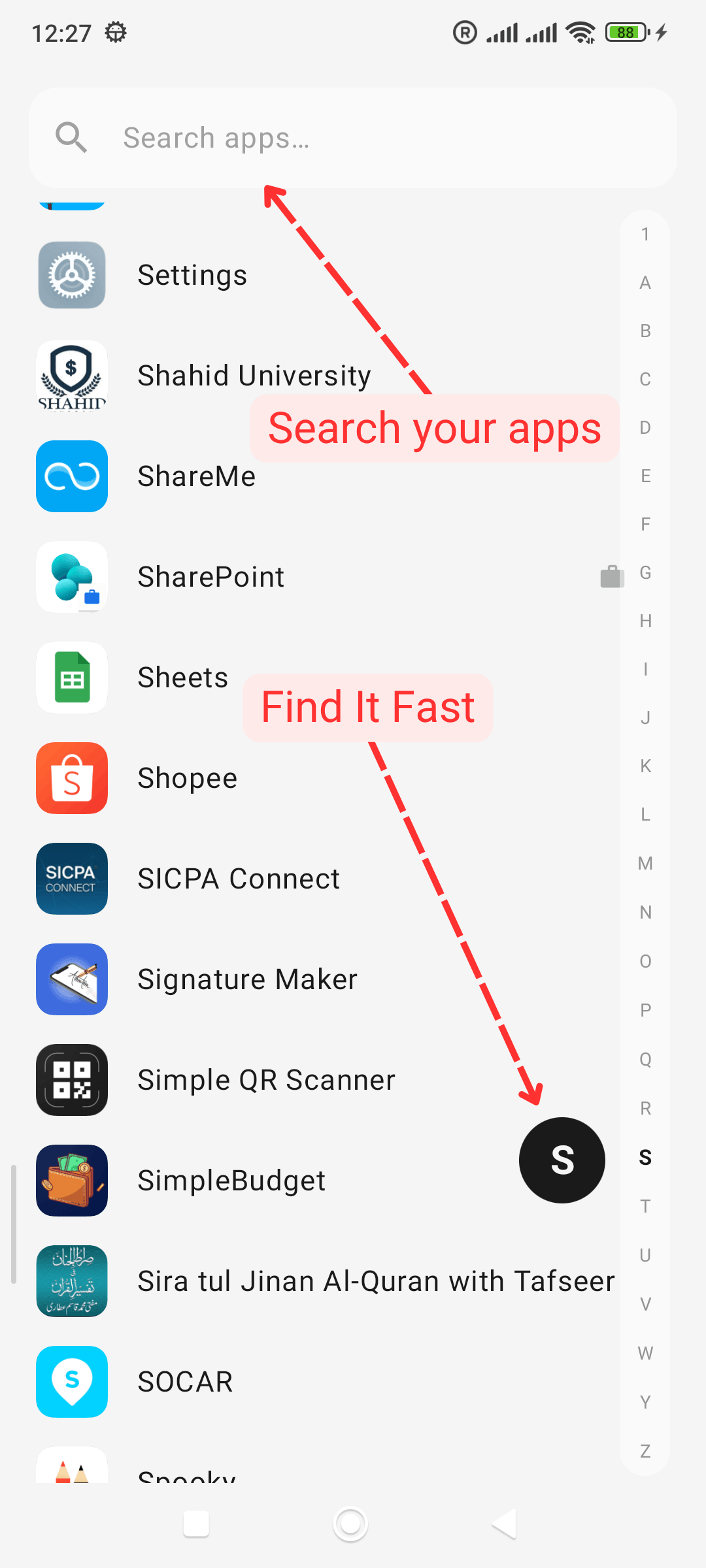
    General Setup: Search your apps or Slide and pick it fast
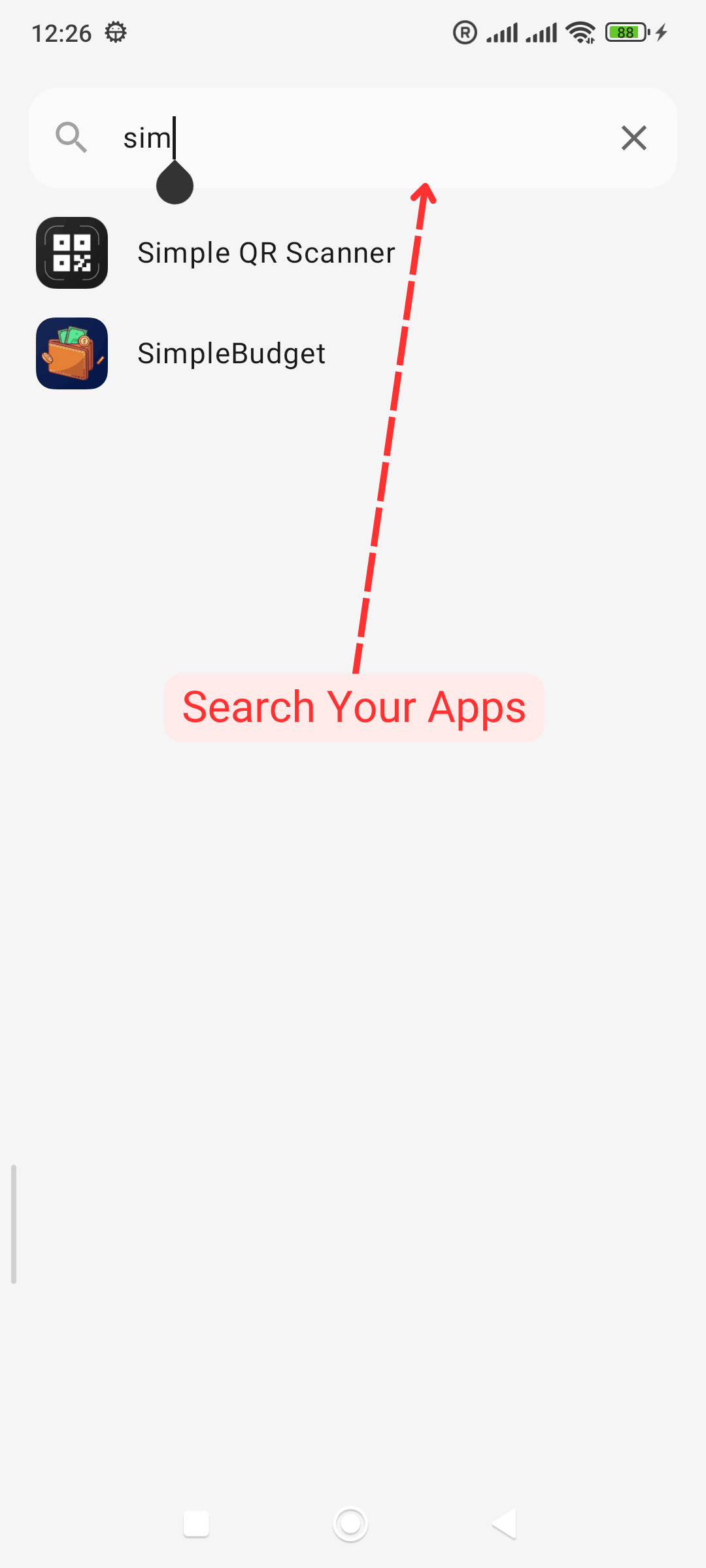
  7. Search apps

    General Setup: Search apps
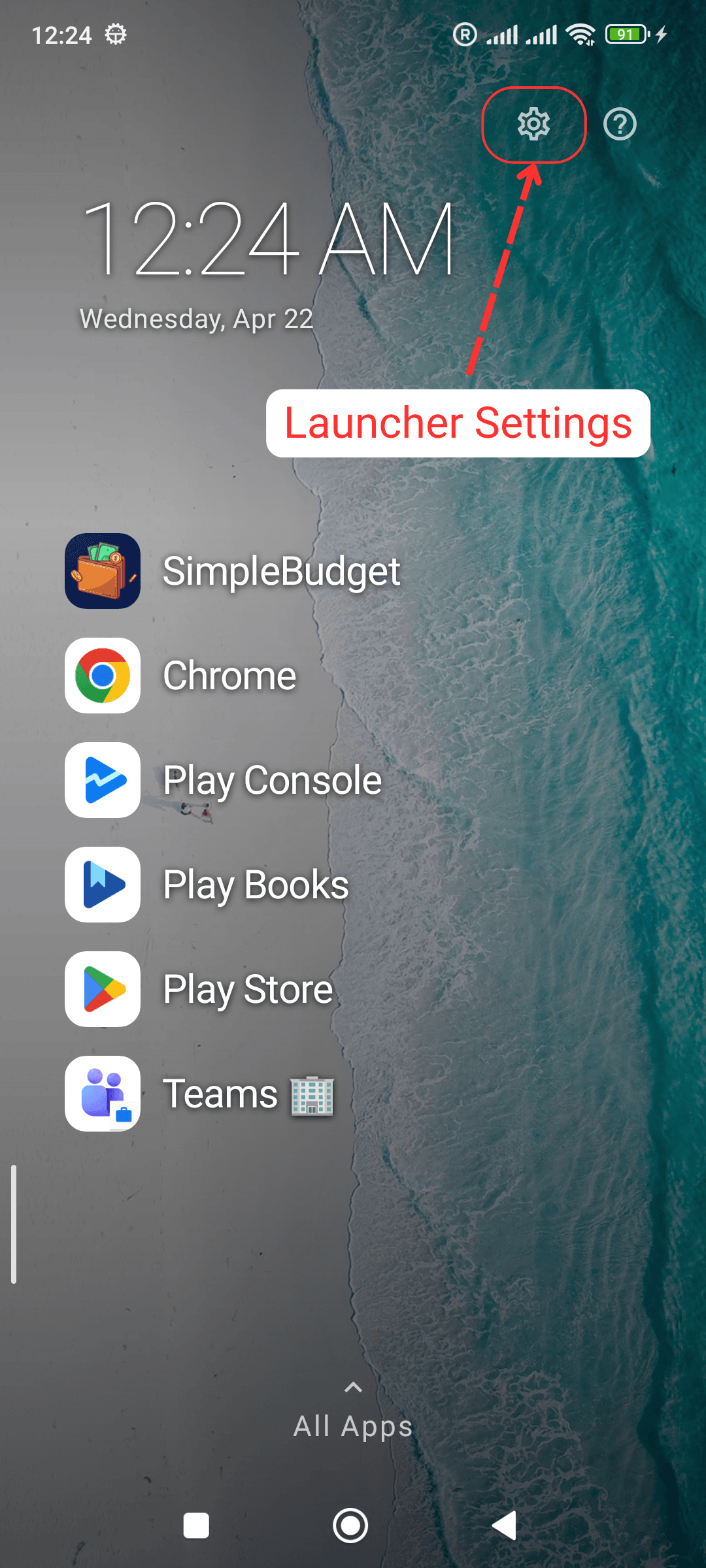
  8. Open launcher settings

    General Setup: Open launcher settings
  9. Set theme, fonts and manage other settings
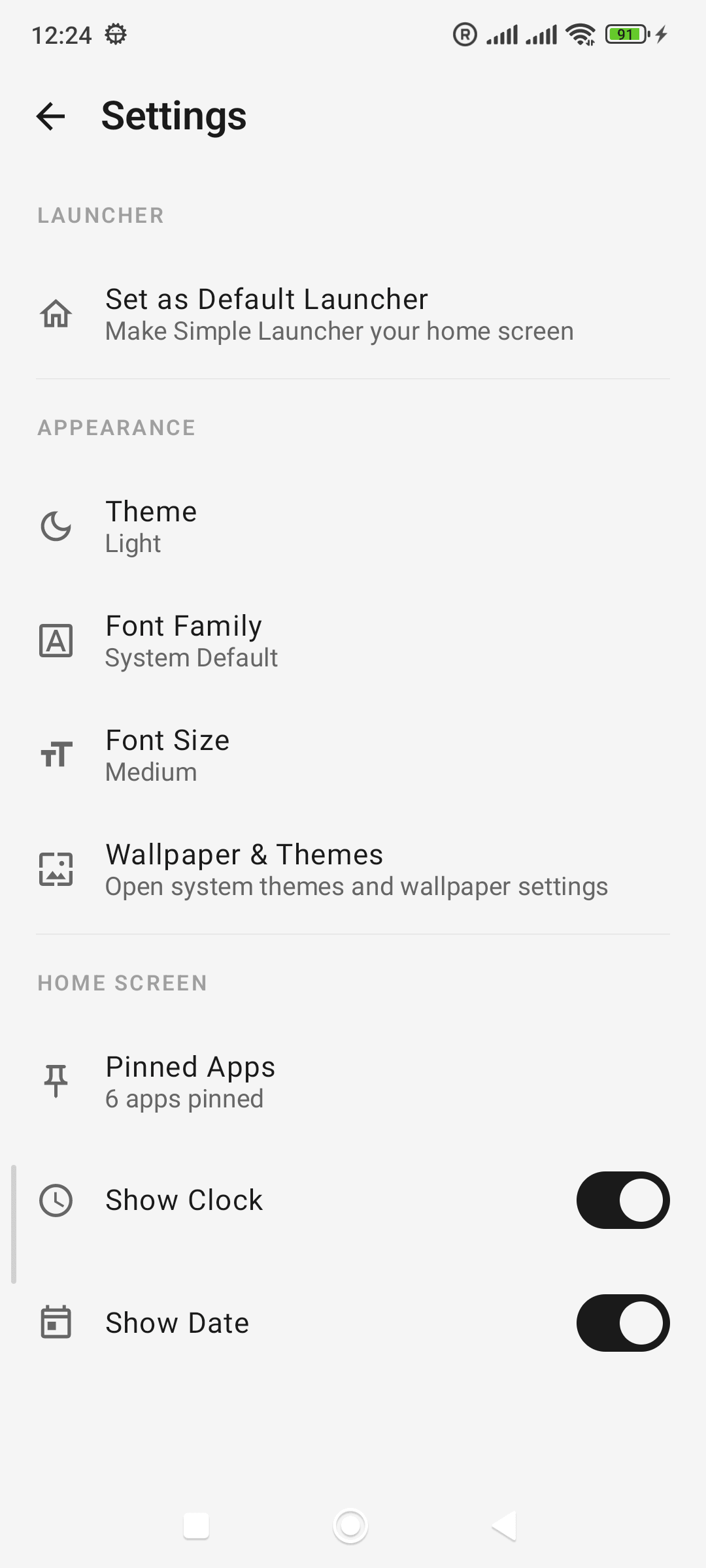
    General Setup: Set theme, fonts and manage other settings