Simple Launcher ← All how-to guides

Uninstall Apps

3 steps
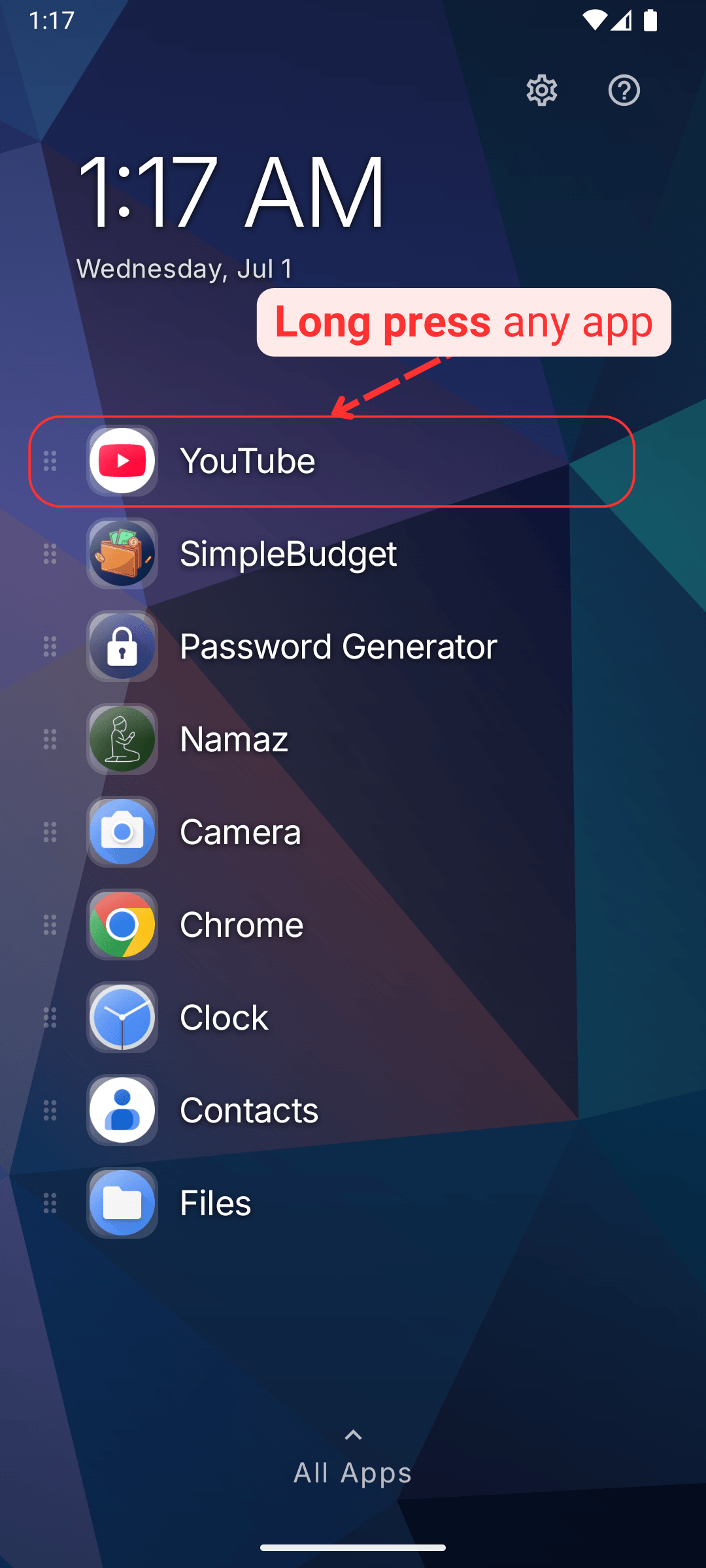
  1. Long press any app

    Uninstall Apps: Long press any app
  2. You'll see a popup with other options, click uninstall
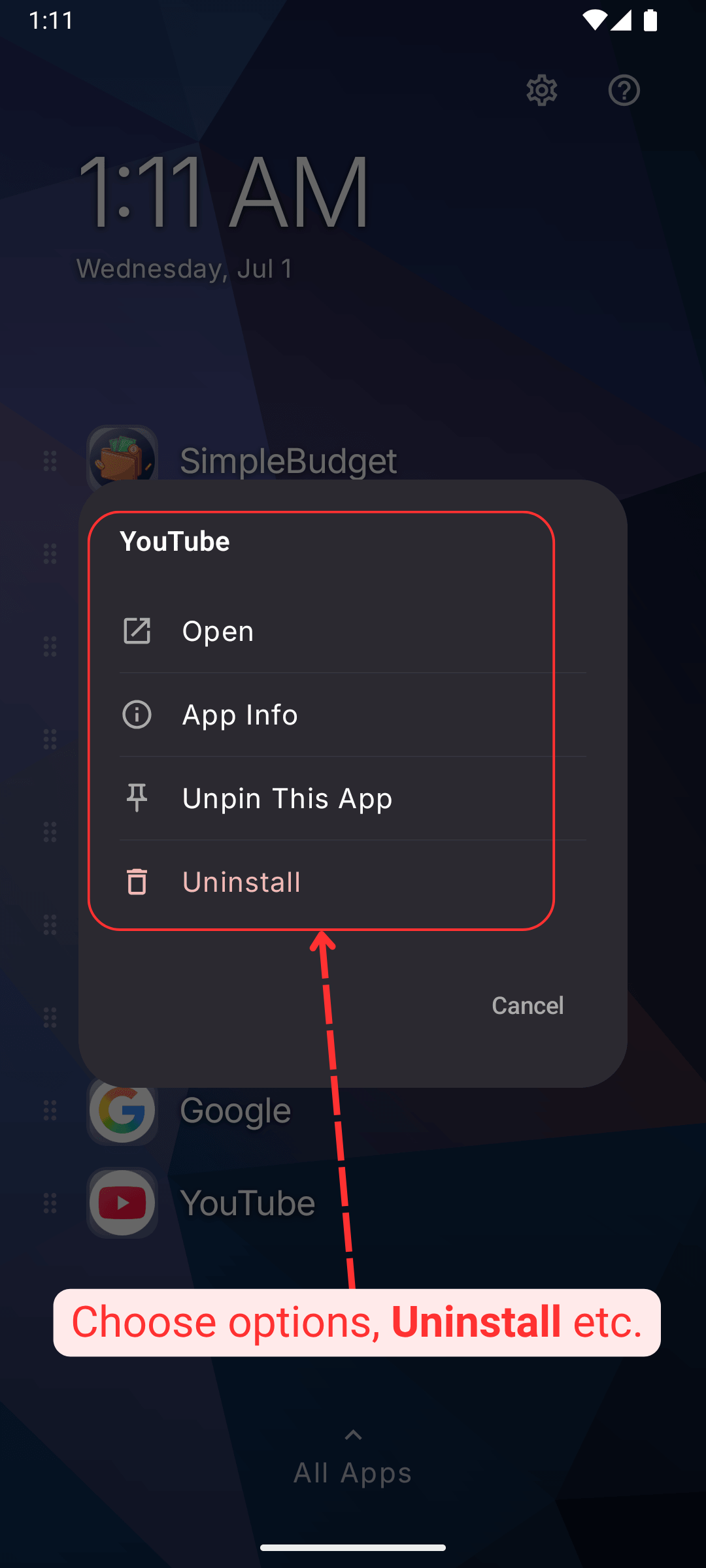
    Uninstall Apps: You'll see a popup with other options, click uninstall
  3. On the confirmation popup press OK, selected app would be uninstalled
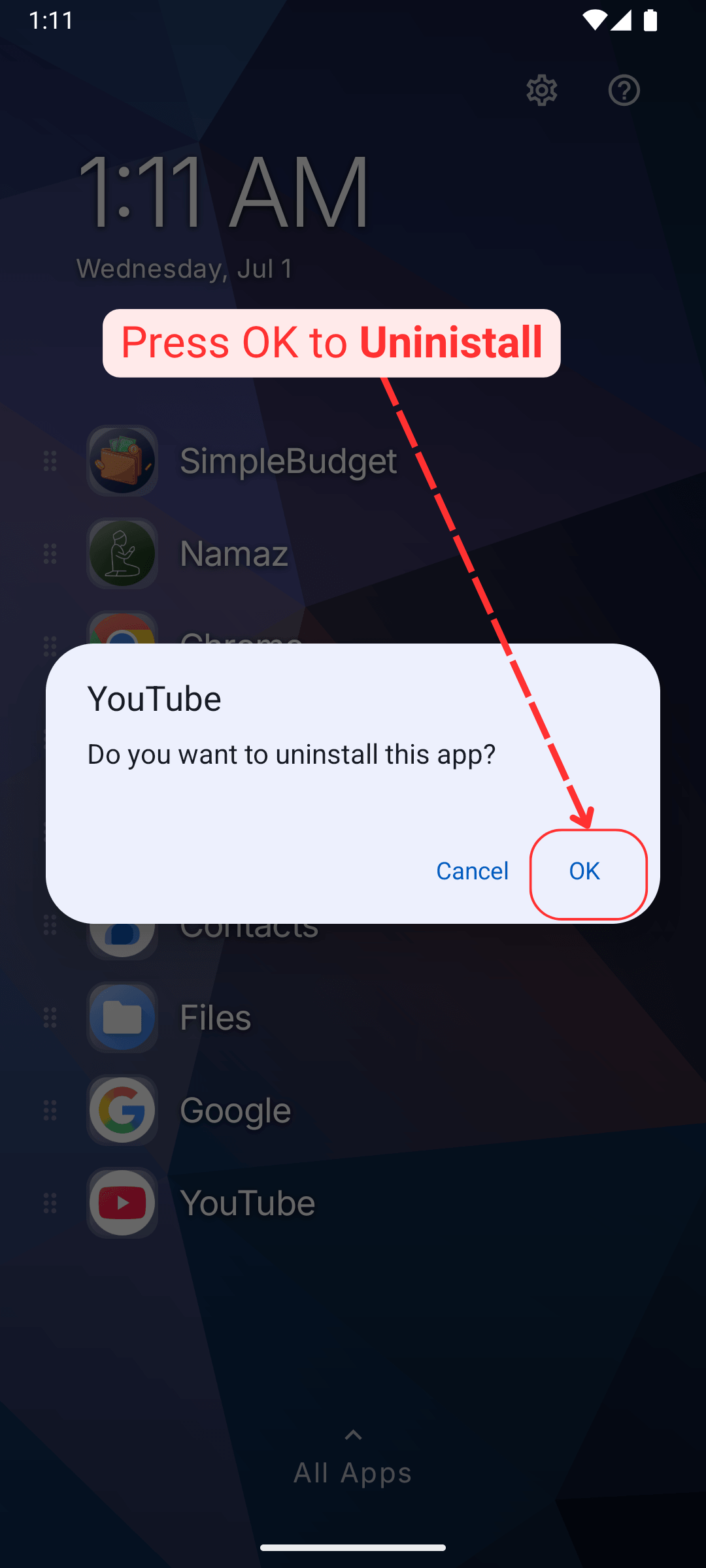
    Uninstall Apps: On the confirmation popup press OK, selected app would be uninstalled